

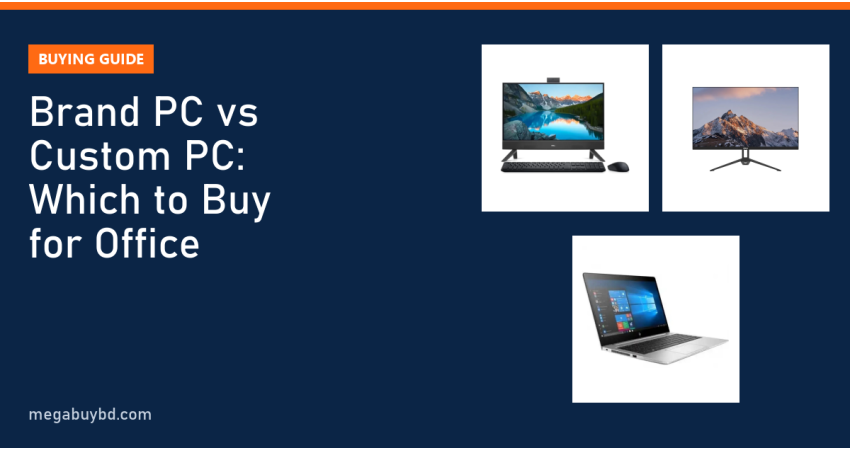
Brand PC vs custom PC is the first question most office managers in Bangladesh face when they set up new desks. The short answer: if you need several identical computers with one warranty, a genuine Windows licence and almost no maintenance, buy a brand PC (or an all-in-one). If you need the most performance per taka, plan to upgrade later or want a graphics card, a custom-built PC wins. For many small offices there is a third smart option: a business-grade used laptop plus an external monitor. This guide explains each choice in plain language so you can decide in ten minutes.
What Is a Brand PC and What Is a Custom PC?
A brand PC is a complete computer designed, assembled and warrantied by one manufacturer, such as Dell (OptiPlex, Inspiron, Vostro), HP (ProDesk, EliteDesk) or Lenovo (ThinkCentre). You get one box, one serial number and one service centre to call.
A custom PC is assembled from parts you choose: processor, motherboard, RAM, SSD, power supply and casing. A local shop or your own IT person builds it. Each part carries its own warranty from its own distributor.
Both run the same Windows and the same office software. The difference is in cost, flexibility, support and how much effort you want to put in after purchase.
Brand PC vs Custom PC: Side-by-Side Comparison
Here is how the two compare on the points that matter most to an office buyer.
| Factor | Brand PC | Custom PC |
|---|---|---|
| Price for the same performance | Higher | Lower, often noticeably |
| Warranty | One warranty for the whole unit | Separate warranty per part |
| Windows licence | Often pre-installed and genuine | Bought separately |
| Upgrades | Limited (small cases, special power supplies) | Easy: standard parts |
| Graphics card | Rarely fits in office models | Any card the power supply can handle |
| Build quality and noise | Tested, quiet, consistent | Depends on parts and builder |
| Buying 10 identical units | Simple | Possible, but parts may change between batches |
| Best for | Accounts, admin, reception, banks | Design, video, engineering, gaming |
When a Brand PC Is the Right Choice
You want zero headaches
Brand office desktops are built to run for years with little attention. Drivers come from one website, BIOS updates are tested, and the cooling is designed for the exact parts inside. When something fails, you call one service centre instead of finding out which of six parts is to blame.
You need a genuine licence and an audit trail
Banks, NGOs and companies that face audits usually prefer brand PCs because the Windows licence, the serial number and the invoice match. That makes software audits and asset tracking much easier.
You are buying in bulk
If you set up 15 desks at once, identical brand PCs let your IT person create one Windows image and copy it to every machine. Spare parts and support stay the same across the office.
What about all-in-one PCs?
An all-in-one (AIO) puts the computer inside the monitor. It saves desk space and cable mess, which is ideal for reception desks, shop counters and small cabins. For example, the Dell Inspiron 5430 23.8 inch all-in-one PC pairs an Intel Core 5 120U with 16GB RAM and a 512GB SSD. The trade-off: you cannot add a graphics card, and if the screen fails, the whole computer goes in for service.
When a Custom PC Makes More Sense
Heavy software and graphics work
Architects, video editors and 3D designers need a strong processor, lots of RAM and often a dedicated graphics card. Office brand desktops usually have small cases and low-wattage power supplies that cannot take a proper graphics card. A custom tower handles this easily.
You plan to upgrade
With a standard ATX or micro-ATX motherboard and power supply, you can add RAM, a second SSD or a better graphics card next year. Many brand PCs use their own motherboard layouts and power connectors, so upgrades are limited.
You have a reliable builder
A custom PC is only as good as the person who chooses and assembles the parts. Ask for a quality power supply from a known brand, a case with proper airflow, and a written list of every part with its warranty period. Keep the boxes and invoices; you will need them for claims.
The Third Option: Used Business Laptop + Monitor
For many offices in Bangladesh, especially during load shedding, a laptop is a better "desktop" than a desktop. Its battery works like a built-in UPS, it uses far less electricity, and staff can take it to meetings or home.
Business models like the HP EliteBook, Dell Latitude and Lenovo ThinkPad were built for corporate use and often come back from lease programmes in good condition. Connect one to a 22 or 24 inch monitor, add a keyboard and mouse, and you have a full desk setup.
- Dell Latitude 5400, Core i5 8th Gen, 8GB, 256GB SSD (used): 26,900 Taka
- HP EliteBook 840 G5, Core i5 8th Gen, 8GB, 256GB SSD (used): 28,400 Taka
Browse more models in our used laptop collection, and read our used laptop buying checklist before you pay for any second-hand machine.
Real Office Setups With Prices
Whichever computer you choose, the monitor is what your staff look at all day. The table below shows real items from our stock that suit office desks. Prices are at the time of writing; the product page always shows the latest price.
| Item | Key specs | Our price (Taka) |
|---|---|---|
| Dell Inspiron 5430 all-in-one PC | Core 5 120U, 16GB RAM, 512GB SSD, 23.8" FHD | 41,000 |
| Dahua DHI-LM24-B201E monitor | 23.8" FHD IPS, 100Hz | 12,999 |
| BenQ GW2283 monitor | 21.5" FHD IPS, eye-care | 11,500 |
| UNV MW-LC22IS3 monitor | 22" FHD IPS, 100Hz | 9,500 |
| HP EliteDisplay E223 (used) | 21.5" FHD IPS | 9,900 |
| WiWU WM113 wireless mouse | 2.4G office mouse | 900 |
See every screen size and brand in our monitor category. The Dahua 23.8 inch IPS monitor is a popular choice for accounts staff who work with large spreadsheets.
How to Choose: A Quick Decision Guide
- List the software. Word, Excel, email and a browser need very little power. AutoCAD, Premiere or SketchUp need a strong custom build.
- Count the desks. One or two PCs: custom is fine. Ten or more: brand PCs or identical laptops save IT time.
- Check power. Frequent load shedding favours laptops or a desktop with a UPS sized for its load.
- Check licensing needs. If you need genuine Windows on every machine, price the licence into a custom build. Windows 11 needs TPM 2.0 and a supported processor; see Microsoft's Windows 11 requirements.
- Plan for five years. Choose at least 8GB RAM (16GB is better) and an SSD. A hard drive alone will make any new PC feel slow.
- Ask about warranty handling. Who collects the faulty unit, and how long does a claim usually take?
Brand PC Price in Thakurgaon
Offices and shops in Thakurgaon Sadar, Pirganj, Ranisankail, Baliadangi and Haripur can order monitors, all-in-one PCs and used business laptops from Megabuy BD online. We deliver all over Bangladesh, including Thakurgaon, with cash on delivery, so you can check the parcel before you pay.
Related Guides
- PC Build Price in Bangladesh 2026: Budget, Mid-Range and Gaming Builds
- DDR4 vs DDR5 RAM: Differences and How Much You Need
- Graphics Card Buying Guide Bangladesh: How Much PSU Do You Need?
- Monitor Buying Guide Bangladesh: What to Check Before You Buy
- SSD vs HDD vs NVMe: Which Drive Should You Buy?
Frequently Asked Questions
Is a custom PC cheaper than a brand PC in Bangladesh?
Usually yes, for the same processor, RAM and SSD. You do not pay for brand design, bundled licences or long service contracts. However, if you add a genuine Windows licence, a quality power supply and a good case, the gap becomes smaller. For basic office work, the difference may not justify the extra effort of managing several part warranties.
Can I upgrade a brand office PC later?
You can usually add RAM and replace or add an SSD. Bigger upgrades are harder. Many small brand desktops use their own power supplies and slim cases, so a full-size graphics card will not fit or the power supply cannot run it. If you know you will need a graphics card, choose a custom tower from the start.
Is an all-in-one PC good for office use?
Yes, for reception desks, shop counters and staff who only use office software and a browser. It saves space and has fewer cables. The downsides are limited upgrades and the fact that a screen fault takes the whole computer out of service. Pair it with a UPS where power cuts are common.
Should I buy a used laptop instead of a desktop for office?
For many small offices, yes. A business laptop like a Dell Latitude or HP EliteBook uses less power, keeps working during short power cuts thanks to its battery, and can be carried to meetings. Add an external monitor, keyboard and mouse for comfortable desk work. Check the battery health and ports before buying.
Buy from Megabuy BD
Megabuy BD sells authentic monitors, all-in-one PCs, keyboards, mice and inspected used business laptops for offices of every size. We deliver nationwide with cash on delivery, and Dhaka orders usually arrive within 24 to 48 hours. Decide between brand and custom with this guide, then set up every desk properly from day one.



There are no comments for this Article.