

Wifi slow hole ki korbo? If your home internet in Bangladesh feels slow, buffers on YouTube or drops during online classes, you can usually fix it yourself in under an hour. The short answer: first test the speed with a cable to find out whether the problem is your ISP line or your Wi-Fi, then restart the ONU and router, move the router to an open central spot, switch busy devices to 5 GHz and stop the power cuts from rebooting your network. This guide walks through 12 practical fixes in the order we would try them, from free to low-cost.
First, Find Out Where the Slowness Comes From
Most homes in Bangladesh get internet through a fiber line that ends at an ONU (the small box from your ISP), which then feeds a Wi-Fi router. Some ISPs give a single box that does both jobs. Slowness can start at three places: the ISP line, the router, or the wireless signal inside your home.
Plug a laptop into the router with a LAN cable and run a speed test. If the cabled speed is close to your package, the line is fine and the problem is Wi-Fi. If even the cabled speed is low, the issue is with the ISP or the ONU, and no router trick will fully fix it.
| What you notice | Most likely cause | Try this first |
|---|---|---|
| Slow on every device, even with a cable | ISP line, ONU or package limit | Restart ONU, check lights, call ISP |
| Fast near the router, slow in far rooms | Weak signal, walls, router placement | Move router, use 5 GHz nearby, add mesh |
| Slow only in the evening | Neighbour interference or ISP congestion | Change Wi-Fi channel, test at night with a cable |
| Internet stops after every power cut | ONU and router reboot and reconnect | Add a mini DC UPS for router and ONU |
| Slow when someone streams or downloads | Bandwidth shared by many devices | Limit heavy downloads, check for unknown users |
Wifi Slow Hole Ki Korbo: 12 Fixes That Work
1. Restart the ONU and router the right way
Switch off the router and the ONU, wait about 30 seconds, then turn on the ONU first. When its PON light is steady, turn on the router. This clears memory and forces a fresh connection to your ISP. It solves many "sudden slow" days.
2. Check the ONU lights
A steady PON light means the fiber link is up. A blinking PON light or a red LOS light usually means a fiber or signal problem outside your control. Do not keep restarting; take a photo of the lights and call your ISP with your customer ID.
3. Test with a cable before blaming Wi-Fi
As explained above, a cabled test tells you whether to work on the router or call the ISP. Test at two or three times of day, because a line that is fine in the morning can be congested at 10 pm.
4. Move the router to a better place
Wi-Fi signal weakens with every brick wall, floor and metal object. Put the router high on a shelf, near the middle of the home, away from the fridge, water tanks, microwave ovens and mirrors. A router hidden inside a cabinet or at the far corner near the main door is one of the most common reasons for slow rooms.
5. Use 5 GHz for nearby devices
Dual-band routers broadcast two networks. The 2.4 GHz band reaches further but is crowded and slower. The 5 GHz band is much faster at short range but weaker through walls. Connect TVs, laptops and phones in the same or next room to 5 GHz, and keep 2.4 GHz for far rooms and smart devices.
6. Change the Wi-Fi channel
In flats and dense neighbourhoods, ten or more routers may share the same channel. Open the router admin page and try channel 1, 6 or 11 on 2.4 GHz, or let the router pick "auto" again after a restart. A free Wi-Fi analyser app on Android shows which channels are least crowded.
7. Find out who is using your Wi-Fi
Check the connected device list in your router app. Unknown devices mean someone has your password. Change it to a long passphrase, use WPA2 or WPA3 security, and turn off WPS, which is easy to misuse.
8. Control heavy downloads and auto updates
One PC downloading a game update or a phone backing up photos to the cloud can make the whole home slow. Schedule big downloads for late night, and turn off auto-play of HD video on phones that only need to browse.
9. Replace old LAN and patch cables
A bent, cheap or very old cable between the ONU and router can drop the link to 100 Mbps or cause random disconnects. Use a proper Cat5e or Cat6 patch cable, and check that the router WAN light shows a gigabit link if your router supports it.
10. Update the router firmware
Router makers release firmware that fixes bugs, improves stability and closes security holes. Open the admin page or the brand's app and check for updates. Do not unplug the router while it is updating.
11. Add mesh or an access point for big homes
If your home has several floors or thick walls, one router will not cover it all. A mesh system or a second access point connected with a cable gives strong signal in far rooms. Simple range extenders are cheaper but often halve the speed, so use them only as a last resort.
12. Stop power cuts from restarting your network
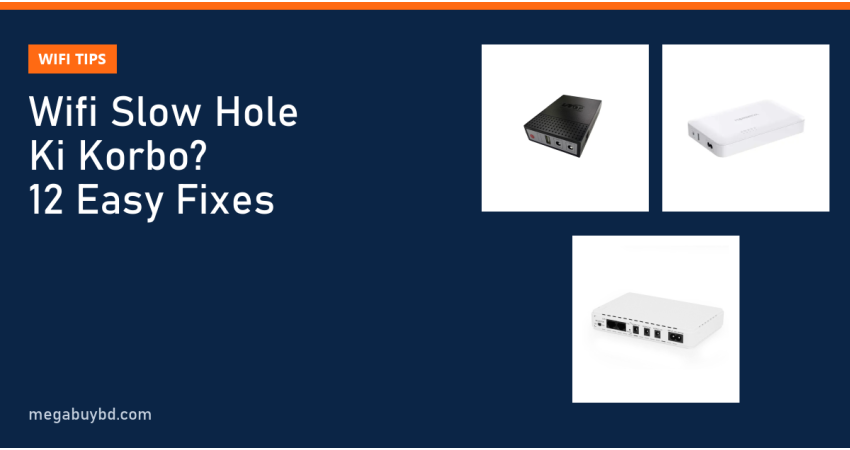
During load shedding the ONU and router switch off. When power returns they take one to three minutes to boot and reconnect, and in some areas the ISP side also takes time to recover. Many people think the internet is "slow" when it is really rebooting several times a day. A mini DC UPS for router and ONU keeps both running through the outage, so your connection, calls and downloads never break.
How to Choose the Right Fix for Your Home
Do not spend money before you know the cause. Follow this order:
- Cabled speed is low: restart, check ONU lights, then contact your ISP. Ask them to check the optical signal level at your ONU.
- Cabled speed is fine, Wi-Fi is slow everywhere: placement, channel, 5 GHz and firmware usually fix it. If the router is very old (single band, 2.4 GHz only), consider a dual-band Wi-Fi 5 or Wi-Fi 6 router.
- Only far rooms are slow: add mesh or a wired access point.
- Internet drops with every power cut: a mini UPS is the cheapest and most effective fix.
Choosing a mini UPS for router and ONU
Check the voltage your router and ONU use (printed on their adapters, usually 9V or 12V). Pick a UPS with matching outputs and enough capacity for your typical outage. A simple rule: 8,000 to 10,400 mAh models suit short daily cuts, while 20,000 mAh models are better for long load shedding or when you also run a small camera. Our mini UPS buying guide explains capacity and backup time in detail.
| Mini UPS (our stock) | Capacity | Good for | Price |
|---|---|---|---|
| MARSRIVA KP3 EC | 8,400 mAh | One router, short cuts, tight budget | Tk 1,390 |
| WGP Optima 103G | 8,000 mAh | Router plus ONU in a small home | Tk 1,600 |
| SKE POE 432P | 10,400 mAh | Router, ONU and PoE devices (5V, 9V, 12V, 15/24V PoE) | Tk 2,390 |
| MARSRIVA KP6 Max | 20,000 mAh | Long load shedding, router plus ONU | Tk 3,200 |
Prices are at the time of writing; the product page always shows the latest price. Backup time depends on how much power your router and ONU draw.
Common Mistakes That Keep Wi-Fi Slow
- Placing the router on the floor or behind the TV.
- Buying a faster package when the real problem is a weak signal in one room.
- Using a cheap extender far from the router, which repeats a weak signal.
- Leaving the default admin password and an easy Wi-Fi password.
- Plugging the router into the same multi-plug as heaters or irons, which can cause voltage dips.
Related Guides
- ISP Business Equipment List in Bangladesh: What You Need to Start
- Fiber Optic Tools List for ISP Technicians: Splicer, OPM, OTDR
- Best MikroTik Router for ISP: How to Choose by Network Size
- GPON vs EPON vs XPON ONU: Which One Should You Buy?
- Best WiFi Router for Home in Bangladesh: How to Choose (2026)
Frequently Asked Questions
Why is my Wi-Fi slow only at night?
Evening is peak time. Your neighbours' routers are busier, which increases interference on 2.4 GHz, and your ISP's network carries the most traffic. Test with a cable at night. If cabled speed also drops, it is ISP congestion and you should report it. If only Wi-Fi drops, change the channel and use 5 GHz.
Will a new router increase my internet speed?
A new router cannot make your package faster than what the ISP gives you. It helps when your old router is single band, has 100 Mbps ports with a faster package, or cannot cover your rooms. Always run a cabled speed test first, so you know whether the router is really the bottleneck.
How long does a mini UPS keep a router and ONU running?
It depends on the battery capacity and the total power your devices draw. A typical router and ONU together draw a modest amount, so an 8,000 to 10,400 mAh mini UPS often covers a few hours, and 20,000 mAh models last longer. Check the seller's backup estimate for your exact devices.
Is 2.4 GHz or 5 GHz better for my phone?
Use 5 GHz when you are in the same room or one wall away from the router; it is faster and less crowded. Switch to 2.4 GHz in far rooms where 5 GHz becomes weak. Many dual-band routers can combine both under one name and choose the better band automatically.
Buy a Router UPS from Megabuy BD
Searching for the WiFi router and mini UPS price in Thakurgaon? Megabuy BD sells authentic mini DC UPS models from WGP, MARSRIVA, SKE and PC Power, so your Wi-Fi stays on during load shedding. We deliver all over Bangladesh, including Thakurgaon (Thakurgaon Sadar, Pirganj, Ranisankail, Baliadangi and Haripur), with cash on delivery. Orders inside Dhaka usually arrive within 24 to 48 hours. Browse the full mini UPS collection and check today's price on each product page.



There are no comments for this Article.