

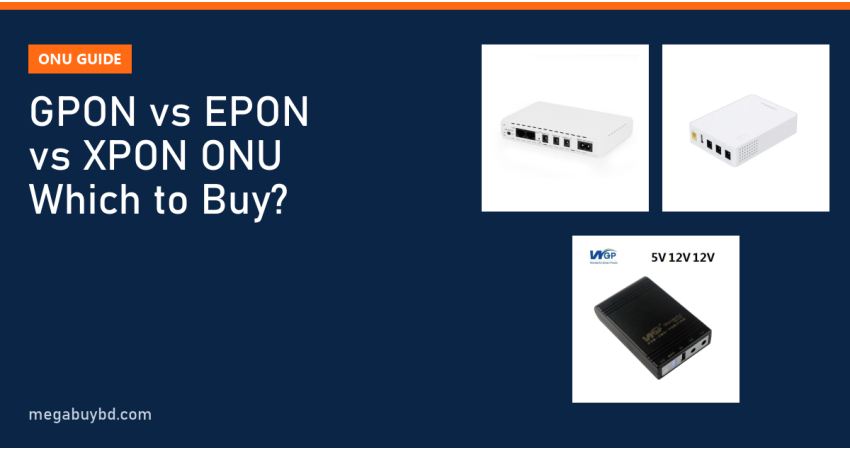
GPON vs EPON vs XPON ONU: which one should you buy? This guide is for home users replacing a faulty ONU and for small ISP owners choosing customer equipment. The short answer: your ONU must match the technology of your ISP's OLT. If the ISP runs GPON, buy a GPON or XPON ONU; if it runs EPON, buy an EPON or XPON ONU. An XPON ONU supports both modes, which makes it the safest choice when you are unsure. Then choose the port type, Wi-Fi and connector to suit your home.
What an ONU Does
An ONU (Optical Network Unit), sometimes called an ONT, is the small box where your ISP's fiber cable ends inside your home. It converts the light signal into normal Ethernet so that a router, PC or TV can use the connection. At the other end of the fiber, in the ISP's POP, sits an OLT (Optical Line Terminal) that talks to dozens of ONUs through passive splitters. That is why the system is called a PON: Passive Optical Network.
Because the ONU and OLT must speak the same language, the first question is never "which brand?" but "which PON standard does my ISP use?"
GPON vs EPON vs XPON ONU: The Key Differences
| Point | EPON | GPON | XPON ONU |
|---|---|---|---|
| Standard | IEEE 802.3ah | ITU-T G.984 | Not a separate standard; one ONU that supports both EPON and GPON |
| Line rate | 1.25 Gbps down and up (about 1 Gbps usable) | About 2.5 Gbps down, 1.25 Gbps up | Follows whichever mode is active |
| Wavelengths | 1490 nm down, 1310 nm up | 1490 nm down, 1310 nm up | Same |
| Typical use in Bangladesh | Many small and mid-size local ISPs | Larger ISPs and newer networks | Spare and replacement units, mixed networks |
| Main advantage | Simple, Ethernet-based, low-cost equipment | More downstream bandwidth per port | Works with either OLT type after setup |
EPON in plain words
EPON carries Ethernet frames over the fiber with a symmetrical 1.25 Gbps line rate. After encoding overhead, about 1 Gbps is usable, shared by all homes on one PON port. Its equipment has been affordable, which is why many local ISPs adopted it.
GPON in plain words
GPON, standardised by the ITU, has a higher downstream line rate of about 2.5 Gbps per PON port. That leaves more room per customer when many homes share a port, especially at evening peak. It is common with larger operators and newer deployments.
What "XPON" really means
XPON is a marketing name for an ONU that can run in either EPON or GPON mode. Some switch automatically; others need the mode changed in the web settings. For a home user, it is a convenient "fits both" choice. For an ISP, it reduces stock types, but you still need to confirm compatibility with your OLT brand.
What about 10G PON?
Newer standards such as XGS-PON and 10G-EPON offer much higher speeds, but they need a 10G-capable OLT and matching 10G ONUs. A normal EPON, GPON or XPON ONU will not work on a 10G-only port. Unless your ISP specifically offers it, you do not need to think about 10G PON yet.
Single-Port vs Wi-Fi vs Multi-Port ONUs
- Single-port ONU: one LAN port. You add your own Wi-Fi router. Simple, cheap and easy to replace.
- Wi-Fi ONU (ONU router): ONU and router in one box. Saves space and one adapter, but Wi-Fi coverage is often weaker than a good separate router.
- Multi-port ONU: four LAN ports, sometimes with a phone port. Useful for small offices and homes with wired TVs, PCs or CCTV recorders.
How to Choose the Right ONU
- Ask your ISP which PON type they use and whether they allow customer-owned ONUs. Many ISPs need your ONU's serial number or MAC address to register it.
- Match the connector. Most home ONUs use SC connectors. SC/UPC is usually blue and SC/APC is usually green. Look at the end of your existing fiber patch cord and buy the same.
- Check the LAN port speed. If your package is 100 Mbps or faster, choose Gigabit LAN ports; a Fast Ethernet (10/100) port caps your speed.
- Decide on Wi-Fi. If you choose a Wi-Fi ONU, prefer dual-band (2.4 GHz plus 5 GHz). Single-band 2.4 GHz models feel slow in busy apartments.
- Note the power adapter. Most ONUs use a 12V DC adapter. Knowing this helps you pick a matching mini UPS.
- Buy from a seller who offers warranty and help with configuration.
We do not sell ONUs, so we are not listing prices here. Common brands in the Bangladeshi market include VSOL, BDCOM, DBC, Tenda and Huawei; check the exact model's PON type before buying.
ONU Status Lights: What They Tell You
| Light | Normal | Problem sign |
|---|---|---|
| PWR | Steady on | Off: check adapter and socket |
| PON | Steady on (registered with OLT) | Blinking for a long time: not registered or wrong mode |
| LOS | Off | Red or blinking: no fiber signal, cable break or dirty connector |
| LAN | On or blinking with traffic | Off: cable or device problem |
If the LOS light is red, do not try to fix the fiber yourself. Call your ISP; they will check the optical power level and the line.
Keep Your ONU Online During Power Cuts
The fastest ONU in the world goes dark when the power goes. Each time it restarts, it has to register again with the OLT, and your router has to reconnect. A mini DC UPS keeps both running so calls and classes are not interrupted.
| Mini UPS (our stock) | Capacity | Why it suits an ONU | Our price |
|---|---|---|---|
| WGP Optima 103G | 8,000 mAh | Compact choice for an ONU plus router | Tk 1,600 |
| WGP Mini UPS 10400 mAh | 10,400 mAh | 5V and two 12V outputs | Tk 1,650 |
| SKE POE 432P | 10,400 mAh | 5V, 9V, 12V and PoE outputs for mixed devices | Tk 2,390 |
| MARSRIVA KP6 Max | 20,000 mAh | Longer backup for long load shedding | Tk 3,200 |
Prices are at the time of writing; the product page shows the latest price. Match the UPS output voltage to your ONU adapter, and read our mini UPS buying guide for backup time estimates.
Notes for ISP Owners
- Standardise on one or two ONU models so technicians know their settings by heart.
- Test new ONU models on your OLT before buying in bulk; "XPON" on the box does not guarantee every feature works with every OLT.
- Keep receive power levels in your OLT records for each customer so you can spot a failing line early.
- Suggest a mini UPS with each new connection; it cuts "no internet" calls during load shedding.
Related Guides
- Wifi Slow Hole Ki Korbo? 12 Easy Ways to Speed Up Home Wi-Fi
- ISP Business Equipment List in Bangladesh: What You Need to Start
- Fiber Optic Tools List for ISP Technicians: Splicer, OPM, OTDR
- Best MikroTik Router for ISP: How to Choose by Network Size
- Best WiFi Router for Home in Bangladesh: How to Choose (2026)
Frequently Asked Questions
Can I use a GPON ONU on an EPON network?
No. A GPON-only ONU cannot register on an EPON OLT, and the reverse is also true. If you are unsure what your ISP uses, ask them or choose an XPON ONU, which can run in either mode. Even then, your ISP may need to register the new device's serial number or MAC address.
Is GPON faster than EPON for a home user?
GPON has more downstream capacity per PON port, so a busy network can give each home more headroom at peak time. But your actual speed is set by your package and by how many customers share the port. A well-managed EPON network can feel just as fast as a crowded GPON one.
Should I buy a Wi-Fi ONU or a separate router?
A Wi-Fi ONU is tidy and fine for small flats. For larger homes, many devices or faster packages, a single-port ONU plus a good dual-band or Wi-Fi 6 router usually gives better coverage. It also lets you change the router later without involving the ISP.
What voltage does an ONU use?
Most home ONUs run from a 12V DC adapter, but some use 9V. Always read the label on your adapter for the voltage and current. Then choose a mini UPS that has a matching output and enough capacity to cover your typical load-shedding period.
Buy an ONU Backup UPS from Megabuy BD
Searching for the ONU price in Thakurgaon? Megabuy BD sells authentic mini DC UPS units that keep your ONU and router online through power cuts. We deliver all over Bangladesh, including Thakurgaon (Thakurgaon Sadar, Pirganj, Ranisankail, Baliadangi and Haripur), with cash on delivery. Inside Dhaka, orders usually arrive in 24 to 48 hours. Compare every model in our mini UPS category.



There are no comments for this Article.