

Looking for the best WiFi router for home in Bangladesh? This guide is for families, students and home workers who want stable Wi-Fi without paying for features they will never use. The short answer: for a small flat on a package up to 40 Mbps, a dual-band AC1200 router is enough. For 50 Mbps or faster, or for many devices, choose a Wi-Fi 6 router with gigabit ports. For a duplex or a house with thick walls, a two-unit mesh system works better than one powerful router. Below we explain how to decide, with real models and current market price ranges.
Answer Five Questions Before You Buy
The "best" router depends on your home, not on the biggest number on the box. Write down these five things first:
- Home size and walls: one room, a two or three bedroom flat, or a multi-floor house with brick and concrete walls.
- Internet package: the speed your ISP gives you, for example 20, 40, 80 or 150 Mbps.
- Number of devices: phones, TVs, laptops, CCTV and smart plugs all count.
- What you do online: browsing, HD streaming, online classes, gaming or large uploads for freelancing.
- Budget: including a mini UPS so the router stays on during load shedding.
Router Terms Explained Simply
Single band vs dual band
Single-band routers use only 2.4 GHz, which is crowded in Bangladeshi apartments and rarely gives more than modest real speed. Dual-band routers add 5 GHz, which is much faster at short range. In 2026, buy dual band at minimum.
Wi-Fi 5 (AC) vs Wi-Fi 6 (AX) vs Wi-Fi 7 (BE)
Wi-Fi 5 routers are labelled AC750, AC1200 and so on. Wi-Fi 6 routers are labelled AX1500, AX1800, AX3000. Wi-Fi 6 handles many devices at once more efficiently and gives better speed to newer phones and laptops. Wi-Fi 7 routers exist but are still expensive and only help if your devices also support Wi-Fi 7.
Ethernet port speed
This is the most ignored spec. Many budget routers have 10/100 Mbps ports. If your package is 100 Mbps or more, those ports cap your speed, no matter how fast the Wi-Fi rating looks. Look for "Gigabit" in the model name or spec sheet.
Mesh vs single router vs Wi-Fi ONU
A mesh system uses two or more units that work as one network, so you walk from room to room without reconnecting. A Wi-Fi ONU is the ISP box with Wi-Fi built in; it saves space but often has weaker Wi-Fi than a separate router. Many people keep the ONU and add a good router or mesh behind it.
Best WiFi Router for Home in Bangladesh: Picks by Need
We do not sell routers, so the models below are named only as examples you can find at major Bangladeshi computer shops. The price ranges come from current listings at at least two Bangladeshi retailers and change often, so confirm with the seller before buying.
| Model | Type | Ports | Best for | Market price range |
|---|---|---|---|---|
| TP-Link Archer C24 (AC750) | Dual band, Wi-Fi 5 | 10/100 | Small flat, package up to about 40 Mbps | about Tk 1,850 to 2,000 |
| TP-Link Archer C54 (AC1200) | Dual band, Wi-Fi 5, MU-MIMO | 10/100 | 2 to 3 bedroom flat, 10 to 15 devices | about Tk 2,180 to 2,300 |
| TP-Link Archer AX53 (AX3000) | Dual band, Wi-Fi 6 | Gigabit | Packages of 50 Mbps and above, many devices, gaming | about Tk 5,000 to 5,100 |
| TP-Link Deco X20 (AX1800, 2-pack) | Mesh, Wi-Fi 6 | Gigabit | Duplex, large flat, multi-floor house | about Tk 10,700 to 11,500 |
Other brands such as Tenda, Mercusys, Cudy and ASUS offer similar classes of routers. Compare them on the same points: band, Wi-Fi standard, port speed and warranty.
Budget pick for a small home
An AC750 or AC1200 router covers a one or two bedroom flat well when it is placed in the middle. Because the ports are 10/100, it is best with packages below 100 Mbps.
Best value for most families
A Wi-Fi 6 AX3000 router with gigabit ports is the sweet spot if you pay for 50 Mbps or more, have more than 15 devices, or use video calls and gaming at the same time. It also keeps you ready if you upgrade the package later.
For big homes and duplexes
Two mesh units placed one per floor usually beat a single expensive router with many antennas. If you can run a LAN cable between the units, mesh performance improves further.
How to Choose: A Quick Checklist
- Dual band at minimum; Wi-Fi 6 if the budget allows.
- Gigabit WAN and LAN ports for packages of 100 Mbps or more.
- Official warranty from the local distributor, and keep the invoice.
- A mobile app for easy setup, firmware updates and parental controls.
- WPA3 or at least WPA2 security.
- Check the adapter voltage (usually 9V or 12V) so you can choose a matching mini UPS.
Keep Your Router On During Load Shedding
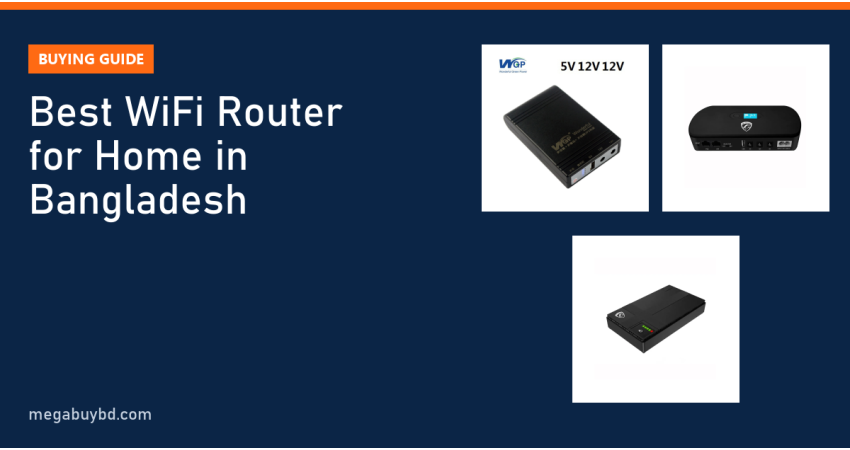
A great router is useless when the power goes. Each outage switches off the ONU and router, and they need time to boot and reconnect when power returns. A mini DC UPS keeps both alive so meetings, classes and downloads continue. Here are some models from our stock that suit home routers:
| Mini UPS | Capacity | Outputs | Our price |
|---|---|---|---|
| WGP Mini UPS 10400 mAh | 10,400 mAh | 5V, 12V, 12V | Tk 1,650 |
| PC Power PCMU1018LCD | 10,400 mAh | Multiple DC outputs with LCD | Tk 2,500 |
| SKE POE 432P | 10,400 mAh | 5V, 9V, 12V and 15/24V PoE | Tk 2,390 |
| PC Power PCMU1018LL | 20,000 mAh | Multiple DC outputs | Tk 3,150 |
Prices are at the time of writing; the product page shows the latest price. For help sizing backup time, read our mini UPS buying guide.
Setup Tips for Better Speed
- Place the router high and central, not inside a cabinet or behind the TV.
- Give the 2.4 GHz and 5 GHz networks clear names so you know which one you are on, or use band steering if your router supports it.
- Change the default admin password on day one.
- Update firmware every few months.
- Use a short Cat6 cable between the ONU and the router.
If your Wi-Fi is still slow after setup, read our step-by-step guide to fixing slow home Wi-Fi.
Related Guides
- Wifi Slow Hole Ki Korbo? 12 Easy Ways to Speed Up Home Wi-Fi
- ISP Business Equipment List in Bangladesh: What You Need to Start
- Fiber Optic Tools List for ISP Technicians: Splicer, OPM, OTDR
- Best MikroTik Router for ISP: How to Choose by Network Size
- GPON vs EPON vs XPON ONU: Which One Should You Buy?
Frequently Asked Questions
Which WiFi router is best for a 20 to 40 Mbps package?
A dual-band AC750 or AC1200 router is enough for most homes on a 20 to 40 Mbps package. Ports of 10/100 Mbps will not limit you at these speeds. Spend the money you save on a mini UPS, which will improve your daily experience more during load shedding than a high-end router would.
Do I need a Wi-Fi 6 router in 2026?
If you pay for 50 Mbps or more, have many devices or newer phones and laptops, Wi-Fi 6 is worth it. It handles crowded homes better and usually comes with gigabit ports. For a small family on a basic package, a good Wi-Fi 5 router is still fine.
Can I use my own router with the ISP's ONU?
Yes. In most cases you connect the router's WAN port to the ONU's LAN port and set the router to the connection type your ISP uses, often PPPoE with a username and password or dynamic IP. Ask your ISP for the details. Some ISPs will set it up for you.
Is a mesh system better than a range extender?
For larger homes, yes. Mesh units are designed to work as one network with smooth roaming and usually lose less speed than a basic extender. An extender is cheaper and fine for one weak room, but place it halfway between the router and the dead spot, not in the dead spot itself.
Buy Router Backup Power from Megabuy BD
Searching for the WiFi router price in Thakurgaon? We do not sell routers, but we stock authentic mini DC UPS units, power strips and power stations that keep your home network running. Megabuy BD delivers all over Bangladesh, including Thakurgaon (Thakurgaon Sadar, Pirganj, Ranisankail, Baliadangi and Haripur), with cash on delivery. Inside Dhaka, orders usually arrive in 24 to 48 hours. See every model in our mini UPS category.



There are no comments for this Article.