

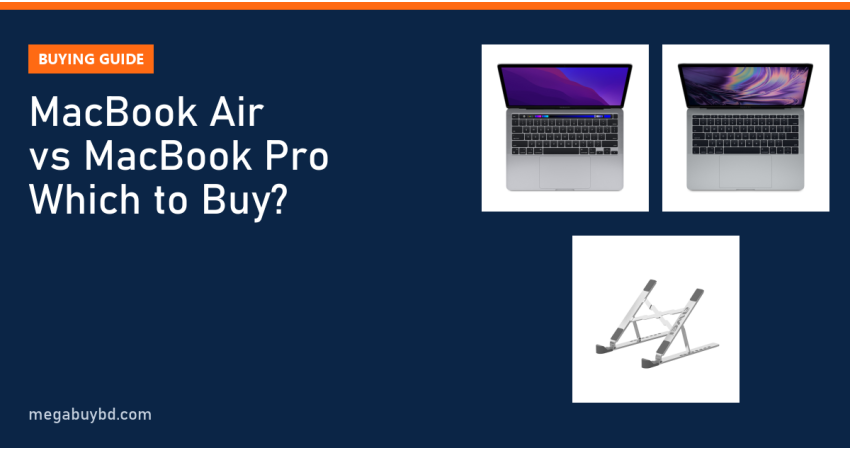
Trying to settle MacBook Air vs MacBook Pro before you spend a big amount in Bangladesh? Here is the short answer. If you are a student, office worker, writer or freelancer who mostly browses, types, joins calls and edits the odd photo, the MacBook Air is enough and is the better value. Choose the MacBook Pro only if you edit video, compile large code projects, work in 3D or run heavy apps for hours at a time. This guide explains the real differences in plain words and shows the MacBooks we currently stock.
Apple's 2026 laptop line has three families: the low-cost MacBook Neo, the MacBook Air with the M5 chip, and the MacBook Pro with M5, M5 Pro or M5 Max. Specs below come from Apple's own published information. Used prices are Megabuy BD prices at the time of writing; the product page always shows the latest price.
MacBook Air vs MacBook Pro: The Key Differences
Both laptops run the same macOS, use Apple silicon and feel fast for everyday work. The difference shows up when the work gets heavy, when you look closely at the screen, and when you count the ports.
Performance and cooling
The MacBook Air has no fan. That makes it completely silent, but under a long, heavy load (a 30-minute video export, for example) the chip slows itself down to stay cool. For short bursts you will not notice any difference.
The MacBook Pro has a fan, so it can hold full speed for much longer. The Pro is also the only model offered with the M5 Pro and M5 Max chips, which add more CPU and graphics cores. If your work regularly makes a laptop hot, that is the clearest sign you need the Pro.
Display
The Air uses a Liquid Retina screen rated at 500 nits. It is sharp and colour-accurate enough for most people. The Pro uses a Liquid Retina XDR (mini-LED) panel with 1,000 nits sustained brightness, up to 1,600 nits peak for HDR content, and ProMotion refresh up to 120Hz. Scrolling looks smoother, and HDR video and photo editing look far better. A matte nano-texture option is also available on the Pro, which helps under bright office lights.
Ports
The MacBook Air has two Thunderbolt 4 (USB-C) ports, a MagSafe 3 charging port and a headphone jack. The MacBook Pro adds a third Thunderbolt port, an HDMI port and an SDXC card slot. If you connect a projector, a monitor and a camera card every week, the Pro saves you from carrying a dongle.
Battery, weight and size
Apple rates the M5 Air at up to 18 hours of video playback and the 14-inch M5 Pro at up to 24 hours. Real use is lower in both cases, but either one easily lasts a full working day, which is useful during load shedding. The 13-inch Air weighs about 1.23 kg; the 14-inch Pro is about 1.55 kg. The Air comes in 13.6-inch and 15.3-inch sizes, and the Pro in 14.2-inch and 16.2-inch sizes.
Side-by-Side Comparison
| Feature | MacBook Neo | MacBook Air (M5) | MacBook Pro 14 (M5) | MacBook Pro (M5 Pro / M5 Max) |
|---|---|---|---|---|
| Chip | A18 Pro | M5 | M5 | M5 Pro or M5 Max |
| Starting memory | 8GB | 16GB (up to 32GB) | 16GB (up to 32GB) | 24GB / 36GB (up to 128GB) |
| Screen sizes | 13.0" | 13.6" or 15.3" | 14.2" | 14.2" or 16.2" |
| Display | Liquid Retina, 500 nits | Liquid Retina, 500 nits | XDR mini-LED, 120Hz | XDR mini-LED, 120Hz |
| Cooling | Not stated by Apple | Fanless | Fan | Fan |
| External displays | 1 | Up to 2 | Up to 2 | Up to 3 (Pro) or 4 (Max) |
| Main ports | 2 x USB-C (USB 3 and USB 2) | 2 x Thunderbolt 4, MagSafe 3 | 3 x Thunderbolt 4, HDMI, SDXC, MagSafe 3 | 3 x Thunderbolt 5, HDMI, SDXC, MagSafe 3 |
| Best for | Study, browsing, basic office | Most users, light creative work | Creators who want a better screen | Video, 3D, large code builds |
For the full official list of configurations, see Apple's Mac comparison page.
Which MacBook Is Right for You?
Students and everyday users
Assignments, Google Docs, Zoom classes, YouTube and some Canva work run comfortably on a MacBook Air. If your budget is tight and you only need the basics, the MacBook Neo is Apple's cheapest new option, but keep in mind it has 8GB of memory that cannot be upgraded later.
Freelancers and office professionals
Graphic designers working in Figma or Illustrator, web developers and virtual assistants will be happy with the M5 Air with 16GB of memory. Choose the 15-inch Air if you work on spreadsheets or design files for long hours and want more screen space without the weight of a Pro.
Video editors, 3D artists and developers
If you edit 4K footage in Final Cut Pro or DaVinci Resolve, render in Blender or build large apps in Xcode, the fan and the brighter 120Hz screen of the MacBook Pro pay off every day. Pick M5 Pro or M5 Max only if your software really uses the extra cores; for many creators the base M5 Pro model is already more than enough.
How to Choose a MacBook: 6 Practical Checks
- Write down your heaviest task. Choose the laptop for the hardest job you do every week, not the hardest job you might do once a year.
- Buy enough memory on day one. RAM on a MacBook is part of the chip package and cannot be added later. 16GB is a comfortable minimum for most buyers in 2026.
- Buy enough storage too. The SSD is also fixed. If you keep large video or photo libraries, plan for an external drive or a bigger SSD.
- Check your software. Some accounting packages, older Windows-only tools and certain games do not run on macOS. Confirm before you pay.
- Count your ports and monitors. If you need two or more external screens, check the exact display limit for the model.
- Think about new vs used. A good used MacBook can cost far less than a new one, as long as you check battery health, keyboard, screen and iCloud lock status.
Our used laptop buying checklist walks you through these checks step by step.
Used MacBook Price in Bangladesh: What We Stock
A brand-new MacBook is a big investment in Bangladesh. A used MacBook is a practical way to get macOS, a solid aluminium body and a great trackpad for much less. These are the MacBooks we have in stock right now:
| Model | Chip | RAM / SSD | Our price | Good for |
|---|---|---|---|---|
| Apple MacBook Pro 13-inch M1 (Used) | Apple M1 | 8GB / 256GB | ৳72,000 | Students, freelancers, light editing |
| Apple MacBook Pro 2017 (Used) | Intel Core i5 7th Gen | 8GB / 256GB | ৳41,900 | Basic office, browsing, learning macOS |
Prices are at the time of writing; the product page shows the latest price.
MacBook Pro 13-inch M1: the smart used pick
The used MacBook Pro M1 13-inch runs on Apple silicon, so it still supports current macOS versions and runs modern Mac apps natively. It has a fan, two Thunderbolt / USB 4 ports and a Touch Bar. Note that the M1 officially supports one external monitor. For writing, coding practice, Canva and light photo work it feels quick and stays cool.
MacBook Pro 2017 Core i5: budget entry to macOS
The used MacBook Pro 2017 Core i5 is the lowest-cost way into a MacBook. Be aware that it uses an Intel chip, and its last officially supported macOS is Ventura, so it will not get newer macOS versions. It is fine for browsing, email and documents, but choose the M1 if you want the laptop to last several more years.
You can browse every model on our used Apple MacBook page. If you are open to Windows too, our full used laptop collection has HP, Dell and Lenovo business laptops at lower prices.
Accessories Worth Adding
A MacBook body is thin metal and scratches easily in a crowded bag. A padded sleeve from our laptop bag and sleeve range protects it on the bus or rickshaw. If you work at a desk for hours, a laptop stand raises the screen to eye level and helps airflow, which matters most on the fanless Air.
MacBook Price in Thakurgaon
You do not need to travel to Dhaka to buy a MacBook. Megabuy BD delivers all over Bangladesh, including Thakurgaon Sadar, Pirganj, Ranisankail, Baliadangi and Haripur. The price is the same as in Dhaka, and you can pay cash on delivery when the parcel reaches you.
Related Guides
- Refurbished vs Used vs New Laptop: Which Should You Buy?
- Ryzen vs Intel Laptop: Which Is Better in 2026?
- Best Laptop for Programming in Bangladesh (2026 Guide)
- Best Laptop for Graphic Design in Bangladesh: Picks by Budget
- Best Laptop for Freelancing in Bangladesh (2026 Picks)
Frequently Asked Questions
Is the MacBook Air good enough for students in Bangladesh?
Yes. For assignments, online classes, research, presentations and light design work, the MacBook Air is more than enough. Its battery easily covers a full day of classes, which helps during load shedding. Choose at least 16GB of memory so it stays comfortable for several years of study.
Does the MacBook Air get hot because it has no fan?
It gets warm under heavy load, but it is designed to manage that by slowing down slightly instead of spinning a fan. For browsing, office work and video calls it stays cool and silent. If you export long videos or render 3D regularly, the MacBook Pro with its fan is the better choice.
Is a used MacBook a good idea?
A used Apple silicon MacBook, such as the M1 MacBook Pro, is a very good value buy if you check the battery cycle count, keyboard, screen and that it is signed out of iCloud. Older Intel MacBooks are cheaper but no longer get new macOS versions, so they suit basic use only.
Can I use Windows software on a MacBook?
Many popular tools, such as Microsoft Office, Chrome, Zoom, Photoshop and VS Code, have Mac versions. Some Windows-only accounting software, government tools and many PC games do not run on macOS. Check every app you depend on before buying, or consider a Windows laptop instead.
Buy from Megabuy BD
Megabuy BD sells authentic, checked MacBooks and laptops with clear prices on every product page. We deliver nationwide with cash on delivery, and Dhaka orders usually arrive within 24 to 48 hours. Pick the MacBook that fits your work, and contact our team if you need help choosing between models.



There are no comments for this Article.