

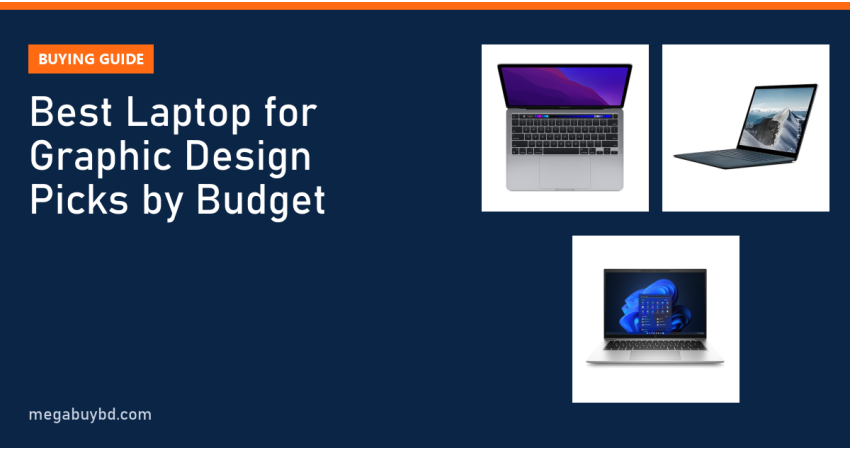
Want to find the best laptop for graphic design in Bangladesh without paying for a brand-new workstation? This guide is for design students, Fiverr and Upwork designers, social media designers and anyone learning Photoshop, Illustrator, Figma or Canva. The short answer: get 16GB RAM, an SSD, a recent Core i5/i7 or Ryzen processor and the best screen your budget allows. Around ৳33,000 the Dell Latitude 7420 (16GB) is a good start, around ৳45,000 the Microsoft Surface Laptop 4 (16GB) adds a sharper touchscreen, and around ৳72,000 the MacBook Pro M1 gives you a wide-colour Retina display.
Prices below are Megabuy BD prices at the time of writing. Used stock moves quickly, so the product page always shows the latest price and availability.
What Makes a Laptop Good for Graphic Design
Design software is different from office software. It holds large images in memory, draws thousands of vector points on screen and asks you to judge colour by eye. That puts weight on four specs.
RAM: 16GB is the comfortable level
Adobe lists 8GB as the minimum for Photoshop and recommends 16GB. In practice, a few layered PSD files plus Illustrator plus a browser full of references will fill 8GB quickly. With 16GB you can keep Photoshop and Illustrator open together without constant slowdowns.
Display: the spec most buyers ignore
You design what you see. Many basic business-laptop panels show noticeably duller colours than a good IPS screen, which is fine for spreadsheets but risky for client work. Look for a Full HD IPS panel at minimum. Premium screens such as Microsoft's PixelSense and Apple's Retina displays are sharper and more colourful. Whatever laptop you buy, a good external IPS monitor is the best upgrade for colour work.
Processor and graphics
Photoshop filters, exports and Illustrator effects use the CPU, and modern Adobe apps also use the GPU for smooth zooming and many effects. Intel Iris Xe (11th Gen and newer) and AMD Radeon graphics in Ryzen 5000/6000 chips are a big step up from older Intel UHD graphics. A dedicated GPU, like an NVIDIA MX450, helps further but is not essential for 2D design.
Storage
Design files grow fast: PSDs, fonts, mockups and stock assets. Choose an SSD, and prefer 512GB if you keep projects locally. Back up client work to cloud storage or an external drive.
Minimum vs Recommended Specs for Design
| Spec | Minimum (learning, Canva, light Photoshop) | Recommended (freelance and client work) |
|---|---|---|
| Processor | Core i5 8th Gen / Ryzen 5 | Core i5/i7 11th Gen+ / Ryzen 5 5000+ / Apple M1 |
| RAM | 8GB | 16GB or more |
| Graphics | Intel UHD | Iris Xe, Radeon 680M, Apple GPU or dedicated GPU |
| Storage | 256GB SSD | 512GB SSD |
| Screen | 14" Full HD IPS | Higher resolution, wider colour, or an external IPS monitor |
Best Laptop for Graphic Design in Bangladesh: Picks by Budget
All of these are in stock at Megabuy BD at the time of writing.
| Budget | Model | Processor / Graphics | RAM / SSD | Our price |
|---|---|---|---|---|
| Under ৳40k | Dell Latitude 7420 | Core i5 11th Gen / Iris Xe | 16GB / 256GB | ৳32,890 |
| Under ৳40k | HP ZBook (2GB graphics) | Core i7 8th Gen / 2GB dedicated | 8GB / 256GB | ৳38,400 |
| Under ৳40k | Microsoft Surface Laptop 3 | Core i5 10th Gen / Iris Plus | 16GB / 256GB | ৳38,900 |
| ৳40k–৳60k | HP EliteBook 840 G8 | Core i5 11th Gen / Iris Xe | 16GB / 512GB | ৳44,900 |
| ৳40k–৳60k | Microsoft Surface Laptop 4 | Core i5 11th Gen / Iris Xe | 16GB / 256GB | ৳45,600 |
| ৳40k–৳60k | Microsoft Surface Laptop 4 (used) | Core i5 11th Gen / Iris Xe | 16GB / 512GB | ৳52,500 |
| ৳40k–৳60k | HP EliteBook x360 1040 G7 | Core i7 10th Gen | 32GB / 512GB | ৳58,000 |
| ৳40k–৳60k | HP Pavilion 15-eg1043TX | Core i5 11th Gen / NVIDIA MX450 2GB | See product page / 512GB | ৳58,000 |
| Above ৳60k | HP EliteBook 845 G9 | Ryzen 7 Pro 6850U / Radeon 680M | 16GB / 512GB | ৳64,900 |
| Above ৳60k | Microsoft Surface Laptop 5 | Core i7 12th Gen / Iris Xe | 16GB / 512GB | ৳69,900 |
| Above ৳60k | Apple MacBook Pro 13 (M1) | Apple M1, 8-core GPU | 8GB / 256GB | ৳72,000 |
Prices are at the time of writing; check each product page for the latest price, condition and stock.
Learning budget (under ৳40,000): Dell Latitude 7420
For a student learning Photoshop, Illustrator and Figma, the 7420 is the best value we sell: 16GB RAM and Iris Xe graphics for under ৳33,000. Its standard business screen is fine for learning; add an external monitor when you start client work. See the Dell Latitude 7420 Core i5 11th Gen 16GB.
If you prefer a better built-in screen at this budget, the Surface Laptop 3 with 16GB at ৳38,900 has a sharp 3:2 PixelSense touchscreen, which gives more vertical space for toolbars and artboards.
Freelancing budget (৳40,000–৳60,000): Microsoft Surface Laptop 4
The Surface Laptop 4 combines an 11th Gen Core i5, Iris Xe graphics, 16GB RAM and a high-resolution 3:2 touchscreen that supports the Surface Pen (sold separately). It is a lovely machine for logo, social media and UI design. Note that Surface RAM is soldered, so buy the 16GB version. View the Surface Laptop 4 Core i5 16GB, or browse used Surface laptops.
If you keep large project folders, the HP EliteBook 840 G8 with 16GB and a 512GB SSD at ৳44,900 gives you more storage for less. Designers who like drawing directly on screen can look at the EliteBook x360 1040 G7, a 32GB convertible with touch; ask our team to confirm pen support for the unit.
Best Windows pick with dedicated graphics: HP Pavilion 15 (MX450)
The Pavilion 15-eg1043TX pairs a Core i5-1155G7 with an NVIDIA MX450 2GB graphics card and a 15.6-inch Full HD screen. The larger screen and dedicated GPU help with Photoshop, light video work and beginner 3D. Confirm the RAM with our team before ordering.
Serious design budget (above ৳60,000): MacBook Pro M1 or EliteBook 845 G9
The MacBook Pro 13 with M1 has a Retina display that supports the wide P3 colour range, making it the best built-in screen in this list for colour work. Adobe Creative Cloud, Figma and Affinity apps all run natively on Apple Silicon. The 8GB model works for 2D design; very large files will push it. See the MacBook Pro 13-inch M1.
On Windows, the EliteBook 845 G9 with an 8-core Ryzen 7 Pro 6850U and Radeon 680M graphics is one of the strongest integrated-graphics laptops we sell, with fast DDR5 memory. See the HP EliteBook 845 G9 Ryzen 7 Pro.
Windows Laptop or MacBook for Design?
Both are used by professional designers. A MacBook gives you an excellent colour-rich screen and long battery life out of the box. A Windows laptop gives you more RAM per taka, easier upgrades on many models and the option of a dedicated GPU. If your clients send CorelDRAW files, which are still common in Bangladesh's print market, note that CorelDRAW is mainly a Windows tool; a Mac version exists but many print shops use Windows. For Photoshop, Illustrator and Figma, both platforms work equally well.
How to Choose a Design Laptop
- Buy 16GB RAM whenever possible. If the laptop has soldered RAM (Surface, T14s, MacBook), you cannot add more later.
- Prefer 11th Gen Intel or Ryzen 5000+ for their much stronger integrated graphics.
- Check the screen: IPS, Full HD or higher. Avoid HD (1366x768) panels for design.
- Plan for an external monitor for colour-critical work. Our monitor collection includes IPS options at many budgets.
- Calibrate or at least compare: view your work on your phone and another screen before sending files to a client or printer.
- Inspect the used unit with our used laptop buying checklist, including dead pixels and screen bleed.
Graphic Design Laptop Price in Thakurgaon
Designers outside Dhaka can order every laptop in this guide at the same price. We deliver all over Bangladesh, including Thakurgaon Sadar, Pirganj, Ranisankail, Baliadangi and Haripur, with cash on delivery.
Related Guides
- Refurbished vs Used vs New Laptop: Which Should You Buy?
- Ryzen vs Intel Laptop: Which Is Better in 2026?
- Best Laptop for Programming in Bangladesh (2026 Guide)
- Best Laptop for Freelancing in Bangladesh (2026 Picks)
- HP EliteBook vs Dell Latitude vs Lenovo ThinkPad: Which Used Laptop to Buy?
Frequently Asked Questions
Is 8GB RAM enough for graphic design?
8GB RAM is enough to learn Photoshop, Illustrator, Canva and Figma with small files. Once you work on large print designs, many layers or several Adobe apps at once, 8GB causes lag and slow saves. 16GB is the comfortable level for freelance work. If your laptop has a free RAM slot, upgrading is cheap and effective.
Do I need a dedicated graphics card for graphic design?
Not for most 2D design. Photoshop, Illustrator and Figma run well on modern integrated graphics like Intel Iris Xe, AMD Radeon 680M or Apple M1. A dedicated GPU helps with heavy filters, 3D work and video editing. If you plan to learn Blender or motion graphics later, a laptop with a dedicated GPU is worth considering.
Can I do graphic design on a used laptop?
Yes. Many freelance designers in Bangladesh work on used business laptops or used MacBooks. The key is choosing enough RAM, a decent IPS screen and a reliable SSD. Check the screen carefully for dead pixels and uneven backlight when the laptop arrives, and connect a good external monitor for colour-sensitive client work.
Which is better for design: Surface Laptop or MacBook?
Both have premium high-resolution screens. The MacBook Pro M1 has the wider colour range and better battery life, and suits designers who prefer macOS. The Surface Laptop has a touchscreen with pen support and runs Windows, which helps if you also use CorelDRAW or Windows-only tools. Choose based on your software and client file types.
Buy from Megabuy BD
Megabuy BD sells authentic, tested laptops with honest prices. We deliver nationwide with cash on delivery, and orders inside Dhaka usually arrive within 24–48 hours. Explore all models in our used laptop collection and choose the design laptop that fits your budget.



There are no comments for this Article.