

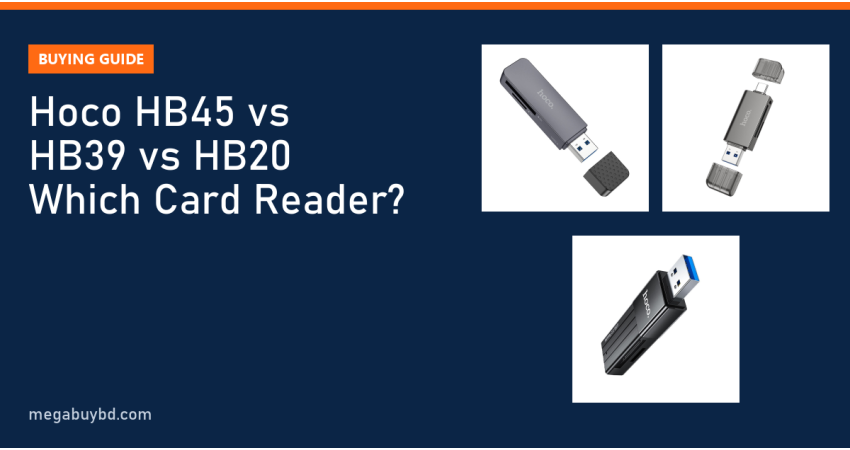
Stuck on Hoco HB45 vs HB39 vs HB20 and not sure which card reader to buy? Here's the short answer. For most people with a laptop or desktop, the HB45 USB 3.0 (single USB-A plug) is the one to get: fast, cheap, one year warranty. If you also use a USB-C phone or laptop, buy the HB45 Dual 3.0. The HB39 is for people who want a metal body and don't mind paying more. The HB20 works fine, but on our current price list it's hard to pick over the HB45.
All of them read SD and microSD cards up to 2TB. The real differences are the plug, the USB speed, the body and the warranty. Let's go through them one by one, with our prices at the time of writing.
Six Readers, Three Names: What You're Actually Choosing
"HB45" isn't one product. Hoco sells it in four versions, so the comparison is really six readers:
- HB45 USB 2.0: USB-A plug only, USB 2.0 speed.
- HB45 USB 3.0: USB-A plug only, USB 3.0 speed.
- HB45 Dual 2.0: USB-A on one end, USB-C on the other, USB 2.0 speed.
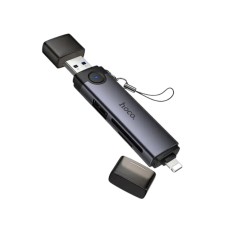
- HB45 Dual 3.0: USB-A plus USB-C, both at USB 3.0.
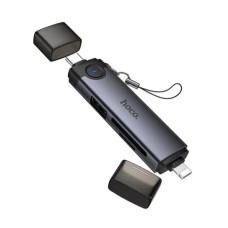
- HB39: USB-A plus USB-C, both at USB 3.0, zinc alloy body.
- HB20 Mindful: USB-A plug, USB 3.0, plastic body.
Every one of them has two slots: a full-size SD slot and a microSD (TF) slot. No driver needed on Windows, macOS or Linux. So the question isn't "which one reads my card". They all do. It's which plug and which speed you need.
Hoco HB45 vs HB39 vs HB20: Comparison Table
| Model | Plug(s) | USB speed | Both cards at once? | Body / weight | Warranty | Our price |
|---|---|---|---|---|---|---|
| HB45 USB 2.0 | USB-A | USB 2.0 (480Mbps) | No, one at a time | ABS, about 9.8g | 1 year | 395 Tk |
| HB45 Dual 2.0 | USB-A + USB-C | USB 2.0 (480Mbps) | No, one at a time | ABS, about 11.2g | 1 year | 410 Tk |
| HB45 USB 3.0 | USB-A | USB 3.0 (5Gbps) | No, one at a time | ABS, about 9.8g | 1 year | 495 Tk |
| HB20 Mindful | USB-A | USB 3.0 (5Gbps) | Not stated by Hoco | ABS, about 10g | 3 months | 525 Tk |
| HB45 Dual 3.0 | USB-A + USB-C | USB 3.0 (5Gbps) | Yes | ABS, about 11.2g | 1 year | 580 Tk |
| HB39 | USB-A + USB-C | USB 3.0 (5Gbps) | Yes | Zinc alloy + PC, about 23g | 3 months | 775 Tk |
Prices are our special prices at the time of writing. They move with new stock and the dollar rate, so the product page always shows the latest one.
USB 2.0 vs USB 3.0: What the Speed Difference Feels Like
The box numbers, 480Mbps and 5Gbps, look like a tenfold gap. It isn't, not in real life.
A USB 2.0 reader usually copies somewhere around 30 to 40 MB per second in practice. A USB 3.0 reader goes faster, but now the card becomes the limit. A cheap no-name microSD might read at 20 to 40 MB/s anyway, so it won't speed up at all. A good U3 or V30 camera card can read much faster, and that's where USB 3.0 earns its money.
Rough example. Say you're copying a full 32GB card of wedding photos. On USB 2.0, plan for around a quarter of an hour. On USB 3.0 with a fast card, it's often well under half that. Do it once a month? You won't care. Do it after every shoot? You will.
Two more things people miss:
- A USB 3.0 reader in an old USB 2.0 port works, just at USB 2.0 speed. Blue insert inside the laptop port usually means USB 3.0.
- The price gap is small. On our list, the HB45 USB 3.0 is only 100 Tk more than the USB 2.0 version. Honestly, for a laptop, we'd just pay it.
The Readers One by One
Hoco HB45 USB 2.0 and USB 3.0 (single USB-A)
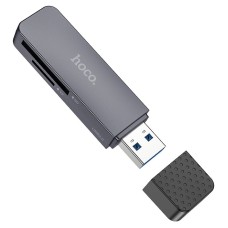
Small, light plastic sticks with a cap over the plug. The two look almost the same, so check the printed "USB2.0" or "USB3.0" on the side. Hoco's box says "separate read and write" for the slots. In plain words: one card at a time.
The Hoco HB45 USB 3.0 card reader is our pick for most desktop and laptop users. The HB45 USB 2.0 version makes sense for an office PC that's only used for documents, or a CCTV DVR card you check now and then.
Hoco HB45 Dual 2.0 and Dual 3.0 (USB-A + USB-C)
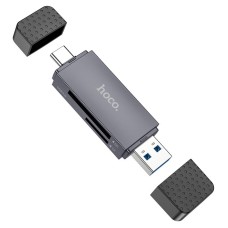
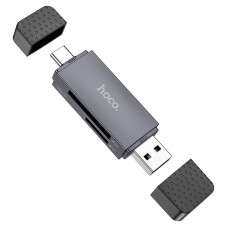
Same family, but with a USB-C plug at the other end. That's the useful bit for Android phones with OTG and newer USB-C laptops. You get a cap on each plug. Two small caps to lose, mind you.
The Dual 2.0 (410 Tk) is the phone-backup reader: photos, WhatsApp videos, a dashcam clip. Its box also says separate read and write, so one card at a time. The HB45 Dual 3.0 is faster on both plugs, and Hoco says both slots can read and write at the same time. So you can copy from a microSD straight to an SD card through your computer.
Hoco HB39 (metal, USB-A + USB-C)
On paper the Hoco HB39 does what the HB45 Dual 3.0 does: both plugs at USB 3.0, both cards together. The difference is the body. It's zinc alloy with PC parts, about 23g, and it's only 9 mm thick, so it usually won't block the next port on a laptop.
The downside? It costs 195 Tk more than the HB45 Dual 3.0 and the warranty is 3 months, not a year. If it lives in a camera bag and gets knocked around, the metal is worth something. On a desk, not really.
Hoco HB20 Mindful (USB-A 3.0)
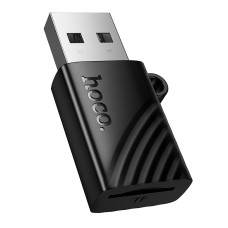
The Hoco HB20 is a black plastic USB 3.0 reader with SD and microSD slots, 69 x 19 x 13 mm, about 10g. It works. But here's the honest bit: right now it costs 30 Tk more than the HB45 USB 3.0, has the same plug and speed rating, and carries 3 months of warranty instead of 1 year. Unless you just like the black look, the HB45 USB 3.0 is the smarter buy.
SD or microSD: Which Slot Will You Use?
All six readers have both, so this is just so you know what goes where.
- SD (full-size): most DSLR and mirrorless cameras, some older camcorders.
- microSD (TF): phones, dashcams, action cameras, drones, Wi-Fi CCTV cameras.
Old CF cards from some big professional DSLRs won't fit any of these. And if you only ever use microSD with a phone, a smaller single-slot reader might suit you better (see the HB53 note below).
Which One to Buy: Camera, CCTV, Phone or Laptop
Camera users
USB 3.0, no question. Full camera cards are where speed actually saves time. USB-A laptop: HB45 USB 3.0. USB-C laptop or MacBook: HB45 Dual 3.0, or HB39 if you want metal.
CCTV and dashcam owners
You're mostly pulling a few clips from a microSD. Speed matters less. The HB45 USB 2.0 is enough for a PC. Want to save a clip on your Android phone right there at the roadside? Get the HB45 Dual 2.0.
Android phone users
You need the USB-C plug and OTG support on the phone (most recent phones have it, some need a switch in settings). HB45 Dual 2.0 for photos and documents, Dual 3.0 if you shoot a lot of video.
iPhone users
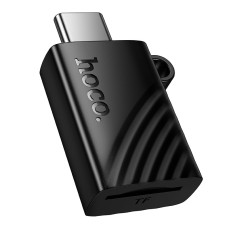
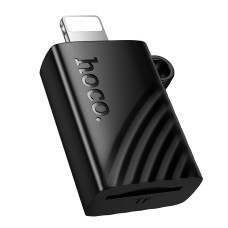
Hoco doesn't list iPhone support for the HB45, HB39 or HB20. For iPhones, look at the HB53 Lightning (425 Tk) or the HB53 Type-C for USB-C iPhones (350 Tk). If you need SD and microSD plus a Lightning plug, the Hoco HB56B (USB-C + Lightning) or HB56A (USB-A + Lightning) at 760 Tk each are the ones to check.
How to Choose a Card Reader: Quick Checklist
- Look at your ports first. Only USB-A? Single-plug HB45. Any USB-C device in the mix? Go dual.
- Think about file size. Photos and documents: USB 2.0 is fine. Camera video and RAW files: USB 3.0.
- Check your card. A slow card stays slow in any reader. The speed mark (U1, U3, V30) is printed on the card.
- Need card-to-card copying? Only the HB45 Dual 3.0 and HB39 read both slots together.
- Warranty matters at this price. HB45 models have 1 year. HB39 and HB20 have 3 months.
Still unsure? Our Hoco card reader price in Bangladesh page lists every model side by side, and the wider card reader section has the full range.
Best Card Reader in Bangladesh for Your Budget
Under 400 Tk: HB45 USB 2.0 (395 Tk). Around 500 Tk: HB45 USB 3.0 (495 Tk), the best value of the lot. Under 600 Tk with USB-C: HB45 Dual 3.0 (580 Tk). Want metal and don't mind 775 Tk? HB39. That's really the whole decision.
Hoco Card Reader Price in Thakurgaon
Our prices are the same everywhere in Bangladesh. We deliver to Thakurgaon too, including Thakurgaon Sadar, Pirganj, Ranisankail, Baliadangi and Haripur, with cash on delivery. So a photographer in Pirganj or a shop owner checking CCTV cards in Haripur pays exactly what's shown on the product page.
Frequently Asked Questions
Is the Hoco HB45 USB 3.0 better than the HB20?
They have the same USB-A plug, the same USB 3.0 rating and the same SD plus microSD slots up to 2TB. The difference is price and warranty. At the time of writing the HB45 USB 3.0 costs a little less and comes with 1 year of warranty, against 3 months for the HB20. For most buyers that makes the HB45 the better pick.
Can I use the SD and microSD slots at the same time?
Only on some models. Hoco says the HB45 Dual 3.0 and the HB39 can read and write both slots together, so you can copy card to card. The HB45 USB 2.0, USB 3.0 and Dual 2.0 boxes say separate read and write, which means one card at a time. Hoco doesn't state this for the HB20.
Will a USB 3.0 card reader work in a USB 2.0 port?
Yes. USB 3.0 readers are backward compatible, so they work in older USB 2.0 ports on desktops and laptops. You'll just get USB 2.0 speed. That's still fine for photos and documents. For big video files, plug into a USB 3.0 port, which often has a blue insert, to get the speed you paid for.
Do these Hoco card readers work with Android phones?
The dual models do. The HB45 Dual 2.0, HB45 Dual 3.0 and HB39 have a USB-C plug, and Hoco lists Android support. Your phone needs OTG, which most recent phones have. Plug in, open the file manager and the card shows up. The single USB-A models need an OTG adapter to connect to a phone.
Buy from Megabuy BD
Every Hoco reader we sell is 100% authentic. We deliver all over Bangladesh with cash on delivery, and orders inside Dhaka usually arrive in 24 to 48 hours. Not sure which plug your laptop or phone has? Send us the model name and we'll tell you which reader fits.



There are no comments for this Article.