

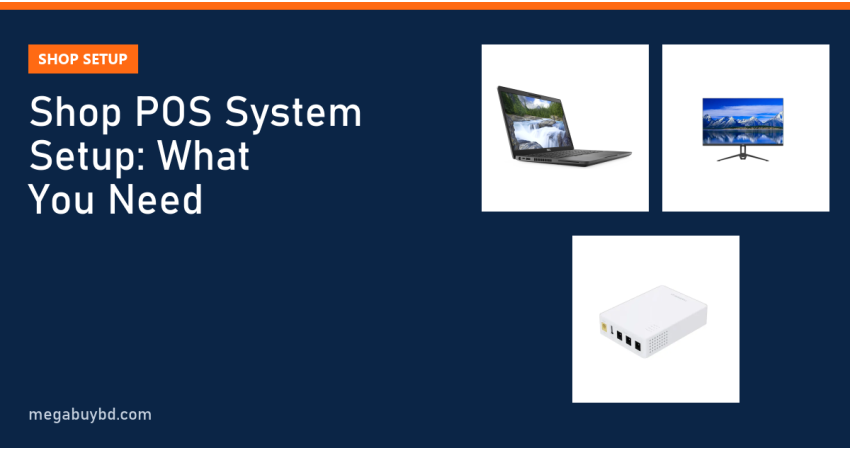
Planning a shop POS system setup in Bangladesh but not sure what to buy? The short answer: every POS counter needs five things: a billing device (laptop, PC or Android POS terminal), billing software, a barcode scanner, a receipt printer and a way to keep it all running during load shedding. A cash drawer and a label printer are optional extras. This guide is for grocery, pharmacy, clothing, cosmetics and electronics shop owners. It lists each part, what to look for and realistic budgets, so you buy once and do not waste money.
What Is a POS System?
POS stands for point of sale: the counter where a customer pays. A POS system replaces the handwritten khata with software that records each sale, prints a bill, updates stock automatically and shows daily profit. Owners can see which products sell, which are slow, and how much cash should be in the drawer at closing time.
The Parts of a Shop POS System
1. Billing device
This runs the software. You have three main choices:
- Laptop: the most practical in Bangladesh. The battery keeps billing going during power cuts, and it takes little counter space.
- Desktop or all-in-one PC: a bigger screen and a fixed setup. Needs a UPS for outages.
- Android POS terminal: a tablet-style device, sometimes with a built-in printer. Works with app-based billing software. Good for small shops and restaurants.
2. Billing software
Choose this before the hardware, because it decides which devices you can use. Options range from offline Windows software to cloud apps with monthly fees. Key questions:
- Does it work offline when the internet is down, and sync later?
- Does it support barcode scanning, stock alerts, purchase entry and supplier dues?
- Can it print the bill format you need, including VAT lines if your business must show them?
- Can several counters or branches share one database?
- How are backups done, and who gives support in Bangla?
3. Barcode scanner
A USB barcode scanner works like a keyboard: scan a product and the code appears in the software. A 1D scanner reads normal product barcodes. A 2D scanner also reads QR codes, including those on phone screens, which is handy for digital coupons and app orders.
4. Receipt printer
Thermal receipt printers need no ink. A 58mm printer suits short bills in small shops; an 80mm printer with an auto-cutter suits supermarkets and showrooms with long, itemised bills.
5. Cash drawer (optional)
A lockable drawer with note and coin slots. It usually connects to the receipt printer's drawer port and opens automatically when a bill prints.
6. Label printer (optional)
Needed only if you sell loose or unpacked items without barcodes, such as rice, spices, cosmetics in bulk or garments. It prints your own barcode stickers so everything can be scanned.
7. Backup power and internet
A POS counter that stops during load shedding loses sales. Use a laptop, or put a desktop on a UPS. Keep your router and ONU alive with a mini DC UPS so cloud billing, bKash and card payments keep working.
Sample Budgets for Different Shops
The table shows typical setups. Peripheral price ranges come from listings at two or more Bangladeshi retailers at the time of writing (Megabuy BD does not sell scanners, receipt printers or cash drawers). Computer, monitor and mini UPS prices are ours.
| Part | Small shop | Medium shop / showroom | Supermarket counter |
|---|---|---|---|
| Billing device | Used business laptop (from 26,900) | Used business laptop + 22" monitor | All-in-one PC (41,000) or desktop + UPS |
| Barcode scanner | 1D, e.g. Sunlux XL-6500 (2,000 to 2,250) | 1D/2D, e.g. Sunlux XL-3600 (3,050 to 4,000) | 2D, e.g. Zebra DS2208 (9,500 to 9,900) |
| Receipt printer | 58mm, e.g. Xprinter XP-58IIL (4,200 to 4,500) | 80mm, e.g. Xprinter XP-K200L (6,500 to 7,000) | 80mm brand, e.g. Epson TM-T81III (about 13,800) |
| Cash drawer | Optional | Compact, e.g. Rongta RT-335 (3,850 to 4,100) | Full-size drawer |
| Router backup | Mini DC UPS (from 1,390) | Mini DC UPS | Mini DC UPS or larger backup |
Add the software cost on top. Some providers charge once, others charge monthly.
Our Picks for the Computer Side
These are real products from Megabuy BD stock. Prices are at the time of writing; the product page always shows the latest price.
- Dell Latitude 5400, Core i5 8th Gen, 8GB, 256GB SSD (used): 26,900 Taka. Plenty of power for any billing software.
- HP ProBook 640 G5, Core i5 8th Gen (used): 27,900 Taka.
- Dell Inspiron 5430 23.8" all-in-one PC: 41,000 Taka. A clean, single-unit counter setup.
- UNV MW-LC22IS3 22" IPS monitor: 9,500 Taka, as a bigger screen for a laptop.
- Marsriva KP3 EC 8400mAh mini DC UPS: 1,390 Taka, to keep the router online.
See more choices in our used laptop and mini UPS categories.
Shop POS System Setup: How to Choose and Install
- Pick the software first. Get a demo, enter a few real products and print a test bill.
- Match hardware to the software. Ask for a list of tested scanners and printers. Most use standard USB keyboard-mode scanners and ESC/POS printers.
- Prepare product data. Make a spreadsheet of products, barcodes, buying price, selling price and opening stock. Most software can import it.
- Install drivers and test. Install the printer driver, print a test page, set the paper width (58mm or 80mm) in the software, and check that the drawer opens when a bill prints.
- Test the scanner. Open Notepad and scan a product. If the number appears followed by a new line, the scanner is ready.
- Plan for power cuts. Use a laptop or UPS for the billing device, and a mini UPS for the router.
- Set up backups. Back up the database daily to a pen drive or cloud folder. Losing sales data is far more expensive than any hardware.
- Train staff and set user roles. Give cashiers limited rights so they cannot delete bills or change prices.
Common Mistakes to Avoid
- Buying a printer before checking the software supports it.
- Using an old, slow PC with a hard drive. Billing will lag at busy times; choose a machine with an SSD.
- No backup plan for power or internet.
- Skipping the product data cleanup, so stock numbers are wrong from day one.
- Letting every staff member use the admin login.
POS System Price in Thakurgaon
Shops in Thakurgaon Sadar, Pirganj, Ranisankail, Baliadangi and Haripur can build a POS counter with the same national price ranges shown above. Megabuy BD delivers laptops, all-in-one PCs, monitors and mini UPS units all over Bangladesh, including Thakurgaon, with cash on delivery. Before ordering, read our used laptop buying checklist.
Related Guides
- Barcode Scanner Buying Guide: 1D vs 2D Explained
- Best Attendance Machine in Bangladesh: How to Choose (2026)
- POS Printer 58mm vs 80mm: Which Should You Buy?
- ZKTeco Attendance Machine Setup: Step-by-Step Guide (K40 and Similar)
Frequently Asked Questions
How much does a complete POS system cost for a small shop?
A practical small-shop setup with a used business laptop, a 1D barcode scanner, a 58mm receipt printer and a mini UPS for the router costs roughly 34,500 to 36,000 Taka at the time of writing, plus software. If you already own a laptop, the peripherals alone come to under 10,000 Taka.
Can I run a POS system on a mobile phone?
Yes, many billing apps run on Android phones or tablets and print to Bluetooth receipt printers. This suits very small shops and delivery sellers. For a busy counter, a laptop or POS terminal with a bigger screen, a wired scanner and a desktop printer is faster and more comfortable.
Will a barcode scanner work with any POS software?
Almost always. Most USB scanners act like a keyboard, typing the barcode number into whatever field is active, so any software that accepts typed codes will work. Check whether your software expects an Enter key after each scan; most scanners send one by default, and this can be changed using setup barcodes in the scanner manual.
Do I need internet for a POS system?
Not always. Offline software stores everything on the billing computer. Cloud software needs internet, but good ones keep working offline and sync later. Either way, keep your router on a mini UPS so online payments, cloud backup and remote reports keep working during load shedding.
Buy from Megabuy BD
Megabuy BD supplies authentic monitors, all-in-one PCs, inspected used business laptops and mini UPS units for shop counters. We deliver nationwide with cash on delivery, and Dhaka orders usually arrive within 24 to 48 hours.



There are no comments for this Article.