

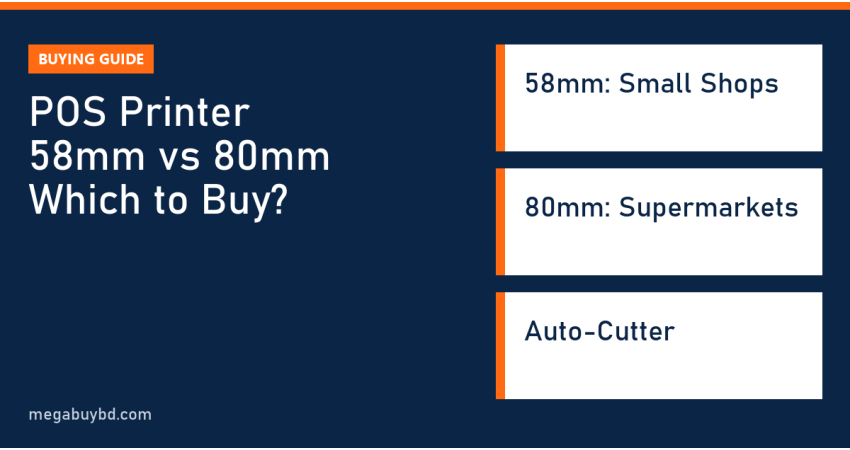
POS printer 58mm vs 80mm is a simple choice once you know what each size is built for. The short answer: a 58mm thermal printer suits small shops, pharmacies, tea stalls and mobile sellers who print short bills and want the lowest cost. An 80mm printer suits supermarkets, restaurants, showrooms and any business that prints long itemised bills, needs an automatic paper cutter or prints all day. This guide is for shop owners in Bangladesh choosing their first receipt printer, and it explains paper width, speed, cutter, connections and real market price ranges.
What Do 58mm and 80mm Mean?
The number is the width of the thermal paper roll the printer takes. Thermal receipt printers use heat-sensitive paper, so there is no ink, toner or ribbon to buy. The print head heats tiny dots on the paper to form text, logos and barcodes.
The printable area is a little narrower than the roll. A 58mm roll gives about 48mm of printing, while an 80mm roll gives about 72mm. In practice that means roughly 32 characters per line on a 58mm bill and around 42 to 48 on an 80mm bill with the standard font, depending on the printer and software settings.
POS Printer 58mm vs 80mm: Quick Comparison
| Feature | 58mm printer | 80mm printer |
|---|---|---|
| Characters per line (standard font) | About 32 | About 42 to 48 |
| Typical print speed | Slower, fine for short bills | Faster; 200 to 300 mm/s on many models |
| Auto-cutter | Rare; usually tear bar | Common on desktop models |
| Cash drawer port | Some models | Most desktop models |
| Paper cost per bill | Lower | Higher |
| Size | Compact, portable options | Larger, desktop |
| Best for | Small shops, pharmacy, delivery, mobile | Supermarket, restaurant, showroom, kitchen |
When a 58mm Printer Is Enough
Short bills and low volume
If most bills have under ten items and you print a few dozen a day, a 58mm printer is all you need. Grocery corners, mobile accessory shops, small pharmacies and coaching centres fit this pattern.
Mobile and counter-space limits
58mm printers are small enough for a crowded counter, and many portable Bluetooth models print straight from an Android phone or tablet billing app. This is popular with home-delivery sellers and field staff.
The trade-offs
Long product names wrap onto two lines, VAT and discount lines feel cramped, and you tear each bill by hand. At a busy counter, that hand-tearing adds up.
When You Should Choose 80mm
Itemised bills that look professional
Supermarkets, clothing showrooms and electronics shops print product name, quantity, unit price and total on one line. The wider 80mm paper keeps bills readable and makes your logo and shop details look better.
Speed and auto-cutter
Desktop 80mm printers are generally faster, and most include an automatic cutter that cuts the bill when printing finishes. At a supermarket counter or restaurant pass, this saves seconds on every customer.
Kitchen and order printing
Restaurants often use one 80mm printer at the cash counter and another in the kitchen for order tickets. Network (LAN) models make this easy because several billing terminals can send to one printer.
Connection Options: USB, LAN, Bluetooth, Wi-Fi
- USB: simplest; connects to one billing PC or laptop.
- LAN (Ethernet): shared by several PCs or tablets; ideal for restaurants and multi-counter shops.
- Bluetooth: pairs with phones and tablets; common on portable 58mm models.
- Wi-Fi: wireless printing from billing apps without cables.
Before you buy, ask your billing software provider which printers and connections they support. Most POS software works with standard ESC/POS printers, but it is better to confirm.
Cash Drawer Connection
Most desktop receipt printers have a drawer kick port, often labelled DK, that takes the cable from a cash drawer. When a bill prints, the printer sends a signal that pops the drawer open. This means the drawer does not need its own connection to the computer. Check that the printer you choose has this port if you plan to add a drawer.
Popular Models and Market Price Ranges
Megabuy BD does not sell receipt printers. The models below are common in Bangladesh, and the price ranges come from listings at two or more Bangladeshi retailers at the time of writing. Confirm price, warranty and stock with your seller.
| Model | Width | Type | Approx. price (Taka) |
|---|---|---|---|
| Rongta RP58E-U | 58mm | Desktop, USB | 2,800 to 4,000 |
| Xprinter XP-58IIL | 58mm | Desktop, compact | 4,200 to 4,500 |
| Xprinter XP-K200L | 80mm | Desktop | 6,500 to 7,000 |
| Rongta RPP300BU | 80mm | Portable, Bluetooth + USB | 6,800 to 7,000 |
| Xprinter XP-E200M | 80mm | Desktop | 7,700 to 8,500 |
| Epson TM-T81III | 80mm | Desktop, brand-name reliability | About 13,800 |
Thermal Paper Tips
- Buy the roll width that matches your printer exactly, and check the roll diameter fits the paper bay.
- Thermal paper is heat sensitive. Store rolls away from sunlight, heat and plastic sleeves, or bills can darken or fade.
- Thermal bills fade over time. If customers need bills for warranty claims, also keep a digital copy in your billing software.
- Cheap, thin paper can leave dust on the print head. Clean the head gently with an alcohol swab if prints become faint.
How to Choose a POS Printer
- Count your daily bills. Under about 50 short bills: 58mm. More than that, or long bills: 80mm.
- Check your software. Confirm it supports your printer model, paper width and connection.
- Decide on a cutter. Busy counters should get an auto-cutter.
- Plan the cash drawer. Make sure the printer has a drawer port if you want one.
- Think about power. A printer that stops during load shedding stops sales. Run the billing laptop on battery and keep the router alive with a mini UPS.
- Ask about warranty and print head. The print head is the part that wears out; know what the warranty covers.
The Rest of Your Billing Counter
A receipt printer is one part of the counter. Megabuy BD sells the parts around it, with prices at the time of writing (the product page shows the latest price):
- Billing computer: an inspected used business laptop such as the HP ProBook 640 G5, Core i5 8th Gen (27,900 Taka), whose battery keeps billing running during short power cuts.
- Customer-facing or staff screen: the UNV MW-LC22IS3 22 inch IPS monitor (9,500 Taka), or browse all monitors.
- Router backup: a mini DC UPS keeps online billing and bKash or card payments working during outages.
- Socket space: the WiWU 8-in-1 power strip (1,850 Taka) tidies printer, laptop and phone chargers on one counter.
POS Printer Price in Thakurgaon
Shops in Thakurgaon pay about the same national prices shown above, plus delivery. For the billing laptop, monitor, mini UPS and power strip, Megabuy BD delivers all over Bangladesh, including Thakurgaon Sadar, Pirganj, Ranisankail, Baliadangi and Haripur, with cash on delivery.
Related Guides
- Barcode Scanner Buying Guide: 1D vs 2D Explained
- Best Attendance Machine in Bangladesh: How to Choose (2026)
- Shop POS System Setup in Bangladesh: What You Need
- ZKTeco Attendance Machine Setup: Step-by-Step Guide (K40 and Similar)
Frequently Asked Questions
Can an 80mm printer print on 58mm paper?
Some 80mm printers include a paper guide or setting that allows 58mm rolls, but many do not. Even when it is possible, you must change the paper width in the printer settings and in your billing software. If you are not sure you need 80mm, it is simpler to buy the size you will actually use.
Does a thermal POS printer need ink?
No. Thermal receipt printers use heat-sensitive paper, so there is no ink, toner or ribbon. Your only running cost is paper rolls. This is why thermal printers are the standard for shop bills. Label printers that use thermal transfer ribbons are a different product made for long-lasting barcode labels.
Which POS printer is best for a small shop in Bangladesh?
For a small shop printing short bills, a 58mm USB printer such as the Xprinter XP-58IIL or Rongta RP58E-U is usually enough and costs around 3,000 to 4,500 Taka. If you expect long bills, many customers or want a cash drawer and auto-cutter, spend a little more on an 80mm desktop model.
Can I print bills from my mobile phone?
Yes, with a Bluetooth or Wi-Fi printer and a billing app that supports it. Portable 58mm Bluetooth printers are common for delivery and field sales. Check that the app lists your printer model or ESC/POS support, and test pairing before you buy if possible.
Buy from Megabuy BD
Megabuy BD supplies authentic monitors, inspected used business laptops, mini UPS units and power strips for your billing counter. We deliver nationwide with cash on delivery, and Dhaka orders usually arrive within 24 to 48 hours.



There are no comments for this Article.