

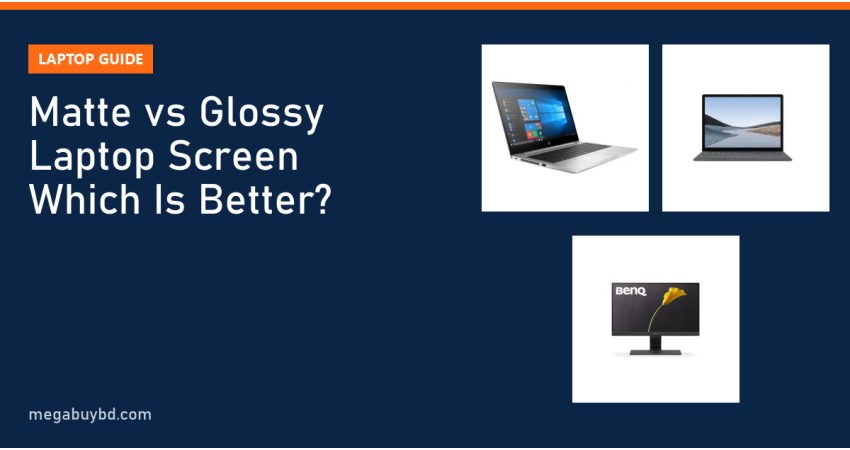
Wondering which is better in a matte vs glossy laptop screen? This guide is for students, office workers, freelancers and anyone in Bangladesh buying a new or used laptop who wants a screen that is comfortable to use every day. The short answer: choose a matte (anti-glare) screen if you work long hours, sit near windows or under bright tube lights, or use your laptop outdoors. Choose a glossy screen if you mostly watch movies, edit photos or work in a room where you control the lighting and want the richest colours.
Below we explain how each finish works, where each one wins, and how to check which type a laptop has before you buy.
What Is a Matte Laptop Screen?
A matte screen has an anti-glare coating on its surface. This coating is slightly textured at a microscopic level, so light that hits it is scattered in many directions instead of bouncing straight back at your eyes. The result is that a ceiling light or a bright window shows up as a soft haze rather than a sharp reflection.
Matte finishes are common on business laptops such as HP EliteBook, Dell Latitude and Lenovo ThinkPad models, because these machines are built for long office days under fluorescent lights.
What Is a Glossy Laptop Screen?
A glossy screen has a smooth, clear surface, often a sheet of glass. Light from the panel passes through it with almost no scattering, so colours look more saturated, blacks look deeper and text looks a little crisper. The downside is that the smooth surface reflects everything in front of it like a mirror, including lamps, windows and your own face.
Glossy screens are standard on touchscreen laptops, MacBooks and many consumer and gaming models, where image quality is the main selling point.
Matte vs Glossy Laptop Screen: Key Differences
| Factor | Matte (anti-glare) | Glossy |
|---|---|---|
| Reflections | Diffused, much less distracting | Sharp, mirror-like reflections |
| Colour and contrast | Slightly muted, blacks a little lighter | Vivid colours, deeper blacks |
| Sharpness | Very slight haze on fine text | Crisp, clear text and images |
| Bright rooms and outdoors | Easier to use | Harder to see, needs higher brightness |
| Fingerprints and smudges | Hide well | Show clearly |
| Touchscreens | Uncommon | Very common |
| Typical laptops | Business laptops (EliteBook, Latitude, ThinkPad) | MacBook, Surface, many consumer and gaming laptops |
Glare and reflections
This is the biggest practical difference. In a typical Bangladeshi office with tube lights overhead, or a classroom with windows on one side, a glossy screen can reflect a bright patch right in the middle of your work. A matte screen turns that patch into a dim glow that is easy to ignore.
Colour, contrast and sharpness
Glossy wins on image quality. Because nothing scatters the light, colours look punchier and dark scenes look darker. Matte coatings slightly reduce perceived contrast and can add a faint grain, especially visible on white backgrounds. For most office work you will not notice it; for photo editing and movies you might.
Eye comfort over long hours
Many people find matte screens more comfortable for long sessions, simply because their eyes are not constantly adjusting to reflections. Screen brightness, distance and breaks matter more than finish, but if you code, write or do data entry for eight hours a day, matte is the safer choice.
Cleaning and durability
Glossy glass screens are easy to wipe clean but show every fingerprint. Matte coatings hide smudges better, but you should clean them gently with a soft microfibre cloth and avoid harsh chemicals that can damage the coating.
Who Should Choose a Matte Screen?
- Office workers and freelancers who spend long hours on documents, spreadsheets and code.
- Students who study in classrooms, libraries or near windows.
- People who work outdoors or travel, such as field staff and sales teams.
- Anyone who cannot control their lighting, such as shared offices or cafes.
Most of our used business laptops fall into this group. For example, the HP EliteBook 840 G5 Core i5 (28,400 Tk), the Dell Latitude 5410 Core i5 10th Gen (31,900 Tk) and the Lenovo ThinkPad T480s (29,400 Tk) are business models from series that commonly ship with anti-glare screens. Screen options vary from unit to unit, especially between touch and non-touch versions, so check the product page or ask our team to confirm the finish of the exact unit.
Who Should Choose a Glossy Screen?
- Movie and video lovers who want the most vivid picture.
- Photographers and designers working in a room with controlled lighting.
- Touchscreen users, because nearly all touch laptops use glossy glass.
- Home users whose desk faces away from windows.
Good examples in our range are the Microsoft Surface Laptop 3 Core i5 (35,400 Tk), which has a glossy touchscreen, and the used MacBook Pro 13-inch M1 (72,000 Tk), whose glossy Retina display is popular with creative users. Prices are at the time of writing; the product page shows the latest price.
Can You Turn a Glossy Screen Into a Matte One?
Yes, partly. A good-quality matte screen protector made for your laptop's exact screen size cuts reflections noticeably. Expect a small loss of sharpness and colour, and make sure it does not interfere with the lid closing. On touchscreens, check that the protector is touch-compatible.
The opposite is not practical: you cannot remove an anti-glare coating to make a screen glossy. On some laptops the display panel can be replaced, but that is a repair job, and the replacement must match the original connector and resolution.
What About External Monitors?
The same rules apply to monitors. Most office and budget monitors use matte anti-glare finishes because they sit in bright offices all day. If you use a laptop at a desk, adding a matte external monitor gives you a larger, comfortable screen while keeping the laptop's own display for travel. For example, the BenQ GW2283 21.5-inch IPS monitor (11,500 Tk) has an anti-glare coating, and our used monitor range starts from under 5,000 taka. Our monitor buying guide explains panel types and other things to check.
How to Choose: Quick Checklist Before You Buy
- Think about where you will use it. Bright office, classroom or outdoors: matte. Controlled room at home: either works.
- Check the specs. Look for the words "anti-glare", "AG" or "matte" for a matte screen, and "glossy", "BrightView" or "touch" for a glossy one.
- Do the reflection test. Turn the laptop off and look at the screen under a light. If you see a clear mirror image of yourself, it is glossy; a blurry glow means matte.
- Check brightness. A screen of 300 nits or more helps either finish, and matters more for glossy screens in bright rooms.
- Look at panel type and resolution too. An IPS full HD panel with a matte finish is a far better buy than a dim, low-resolution glossy one.
- For used laptops, check the screen for scratches, pressure marks and worn coating patches. Our used laptop buying checklist covers screen checks and more.
Laptop Price in Thakurgaon
Whether you want a matte business laptop or a glossy touchscreen, we deliver all over Bangladesh, including Thakurgaon Sadar, Pirganj, Ranisankail, Baliadangi and Haripur, with cash on delivery. Prices are the same as in Dhaka.
Related Guides
- Best Monitor Under 15000 Taka in Bangladesh (2026 Picks)
- Best Phones Under 40000 Taka in Bangladesh (2026 Picks)
- Best Phones Under 30000 Taka in Bangladesh (2026 Picks)
- Smart Band vs Smartwatch: Which Is Right for You?
- iPhone 17 Pro Max vs iPhone 18 Pro Max: What Changed?
Frequently Asked Questions
Is a matte or glossy laptop screen better for the eyes?
Many people find matte screens more comfortable for long work sessions, because they reduce distracting reflections from lights and windows. Neither finish is harmful, though. Eye comfort depends more on brightness, viewing distance, font size and taking regular breaks. If you work under bright office lights all day, a matte screen is the more comfortable choice.
Are glossy screens better for watching movies?
Yes, in the right room. Glossy screens show richer colours and deeper blacks because the surface does not scatter light. In a dim room or with your back to the window, movies look noticeably better. In a bright room, reflections can spoil the picture, and you may need to turn the brightness up.
Do business laptops like EliteBook and ThinkPad have matte screens?
Business series such as HP EliteBook, Dell Latitude and Lenovo ThinkPad commonly use anti-glare matte screens on their non-touch models, because they are designed for office lighting. Touchscreen versions of the same models are usually glossy. With used laptops, the exact screen depends on the unit, so confirm it on the product page.
Does a matte screen protector reduce screen quality?
A little. A matte protector scatters light the same way an anti-glare coating does, so it cuts reflections but slightly softens text and lowers colour vividness. Quality protectors keep this loss small. If glare bothers you more than perfect sharpness, a matte protector is a cheap and reversible fix for a glossy screen.
Buy from Megabuy BD
Megabuy BD sells authentic, tested laptops and monitors with clear prices. We deliver nationwide with cash on delivery, and orders inside Dhaka usually arrive within 24 to 48 hours. Browse the laptops above or ask our team which screen suits your work.



There are no comments for this Article.