

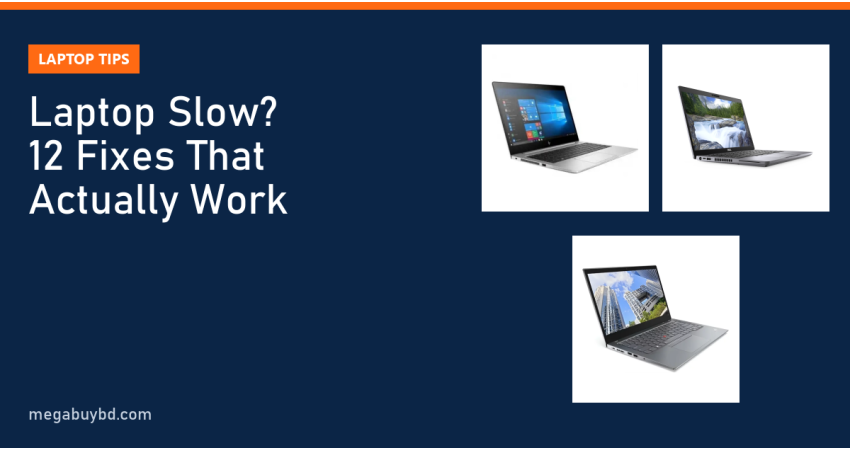
Searching laptop slow hole ki korbo because your laptop takes ages to boot, freezes in Chrome or hangs during a Zoom class? This guide is for students, office users and freelancers in Bangladesh who want a fix today, not a new laptop. The short answer: open Task Manager, find what is maxing out (disk, memory or CPU), cut startup apps, free up storage and check for heat. If the disk still sits near 100% on an old hard drive, an SSD is the single biggest fix, and 8GB of RAM is the minimum for Windows 11 with a browser open.
First, Find Out Why the Laptop Is Slow
Guessing wastes time. Windows already tells you what is wrong, if you know where to look.
- Press Ctrl + Shift + Esc to open Task Manager.
- Click Processes and sort by CPU, then Memory, then Disk.
- Open the Performance tab and watch the graphs for a minute while you work normally.
The column that stays high is your bottleneck. Everything below is grouped by that result, so you only do the fixes that matter for your laptop.
How to read the numbers
- Disk at 90 to 100% for minutes: almost always an old hard drive (HDD), a full drive or a failing one.
- Memory above 85%: too many tabs and apps for the RAM you have.
- CPU high while idle: a background app, Windows Update, an antivirus scan or malware.
- Everything low but still slow, and the laptop is hot: overheating and thermal throttling.
Laptop Slow Hole Ki Korbo: 12 Fixes That Work
Do these in order. The first seven cost nothing and take under an hour together.
1. Restart properly
Windows Fast Startup means "Shut down" does not fully clear memory. Use Restart instead at least once a day if the laptop has been sluggish. Many "hanging" problems vanish after a real restart.
2. Cut startup apps
Go to Settings > Apps > Startup (or the Startup tab in Task Manager). Turn off anything you do not need the moment Windows opens: game launchers, cloud sync tools you rarely use, updaters, music apps. Keep your antivirus and touchpad or audio drivers on.
3. Free up storage
A system drive with less than 10 to 15% free space slows everything down. Open Settings > System > Storage, run the cleanup recommendations and turn on Storage Sense. Empty the Downloads folder and move old videos to an external drive.
4. Uninstall junk and duplicate software
Two antivirus programs fighting each other, trial software from the seller, toolbars and "PC booster" apps all eat memory. Uninstall them from Settings > Apps > Installed apps. Windows Security is enough protection for most home users.
5. Tame the browser
Chrome with 30 tabs can use more than 4GB of RAM by itself. Close tabs you are not using, remove extensions you do not recognise, and turn on the memory saver option in Chrome or sleeping tabs in Edge.
6. Check the power mode
On battery, many laptops drop to a slow power-saving mode. Under Settings > System > Power & battery, set Power mode to Balanced or Best performance when plugged in.
7. Update Windows and drivers, then let it finish
A laptop often feels slow for a day after a big Windows update because it is indexing and optimising in the background. Leave it plugged in and on for a few hours. Install chipset and graphics drivers from the laptop maker's support page, not from random driver sites.
8. Scan for malware
Run a full scan in Windows Security. Unknown processes using CPU all night, new browser homepages and pop-up ads are warning signs.
9. Repair Windows system files
If apps crash or Windows feels broken after an update, open Command Prompt as administrator and run sfc /scannow. If it reports errors it cannot fix, run DISM /Online /Cleanup-Image /RestoreHealth, restart and run sfc again.
10. Clean the fan and fix overheating
Dust in Bangladesh builds up fast. A clogged fan makes the processor throttle, so the laptop slows down exactly when you need it. Use it on a hard, flat surface, not a bed or pillow. If the fan is loud all the time, a technician can clean it and replace the dried thermal paste.
11. Replace the hard drive with an SSD
If Task Manager showed Disk at 100% and your laptop still has an HDD, this is the fix that changes everything. Boot time typically drops from minutes to well under a minute. A 512GB SATA SSD is an affordable upgrade for most older laptops.
12. Add RAM if memory is always full
If memory is constantly above 85% with your normal apps, move from 4GB to 8GB, or from 8GB to 16GB. Check first whether your model has a free slot; many thin laptops have soldered memory that cannot be upgraded.
Quick Symptom and Fix Table
| What you see | Most likely cause | Fix to try first |
|---|---|---|
| Boot takes 3 to 5 minutes | Hard drive (HDD), too many startup apps | Cut startup apps, then upgrade to SSD |
| Disk 100% in Task Manager | HDD, full drive, Windows Update running | Free space, wait for updates, SSD upgrade |
| Freezes with many Chrome tabs | Not enough RAM | Close tabs, memory saver, add RAM |
| Slow only after 10 to 20 minutes | Overheating, dusty fan | Clean fan, use a hard surface |
| Slow on battery, fine on charger | Power saving mode, worn battery | Change power mode, check battery health |
| Pop-ups, new homepage, high CPU at idle | Malware or adware | Full scan, remove unknown apps |
| Apps crash after an update | Corrupted system files or driver | sfc and DISM, reinstall driver |
When a Reset Makes Sense
If you tried everything and Windows is still slow, back up your files and use Settings > System > Recovery > Reset this PC. Choose "Keep my files" first. A clean Windows on an SSD often feels like a new laptop. Microsoft explains each option on its official recovery options page.
How to Choose: Fix, Upgrade or Replace?
Use this simple rule before you spend money.
- Software fixes only: the laptop already has an SSD and 8GB RAM, and the problem started recently.
- Upgrade: the processor is Intel 8th gen or newer (or Ryzen 3000 series and newer), but it still has an HDD or 4GB RAM. An SSD plus RAM upgrade gives it years of extra life.
- Replace: the processor is very old (Intel 4th to 6th gen), the screen or keyboard is failing, or the upgrade and repair cost is close to the price of a better laptop. Note that Windows 11 officially supports Intel 8th gen and newer.
Replacing does not have to mean a new laptop. A good used business laptop with an SSD and 16GB RAM costs less than many new budget models and is usually much faster. Before you buy any used machine, go through our used laptop buying checklist.
Used laptops that solve the "slow" problem
These come with an SSD already fitted, so they start fast out of the box. Prices are at the time of writing; the product page always shows the latest price.
| Model | Processor, RAM, storage | Our price | Good for |
|---|---|---|---|
| HP EliteBook 840 G5 | Core i5 8th Gen, 8GB, 256GB SSD | 28,400 Tk | Study, office, browsing |
| Dell Latitude 5410 | Core i5 10th Gen, 16GB, 256GB SSD | 34,900 Tk | Heavy multitasking on a budget |
| HP EliteBook 840 G8 | Core i5 11th Gen, 16GB, 256GB SSD | 40,400 Tk | Freelancing, coding, many tabs |
| Lenovo ThinkPad T14s Gen 2 | Core i5 11th Gen, 16GB, 512GB SSD | 43,900 Tk | Light, fast all-rounder |
See the full range on our used laptop page.
Used Laptop Price in Thakurgaon
If you live outside Dhaka, you do not have to travel to fix a slow laptop problem with a replacement. We deliver all over Bangladesh, including Thakurgaon Sadar, Pirganj, Ranisankail, Baliadangi and Haripur, with cash on delivery. The price you see on our website is the same price you pay in Thakurgaon.
Related Guides
- How to Check Laptop Battery Health (Windows, Mac and Linux)
- SSD Upgrade for Old Laptop: Make a Slow Laptop Fast Again
- Laptop RAM Upgrade 8GB vs 16GB: How Much You Need and What Fits
Frequently Asked Questions
Why is my new laptop also slow?
Many cheap new laptops ship with 4GB or 8GB of slow memory, eMMC storage or a low-power processor, plus trial software. Remove the preinstalled extras, cut startup apps and let Windows finish updating. If Task Manager shows memory or disk constantly full, the hardware is the limit, not a fault.
Does an SSD really make an old laptop faster?
Yes, for laptops that still have a mechanical hard drive it is the biggest single improvement. Windows boots faster, apps open quickly and the constant 100% disk usage disappears. It will not make an old processor faster at video editing or gaming, but everyday work feels completely different.
Is 8GB RAM enough in 2026?
For Windows 11, Office, a browser with a few tabs and online classes, 8GB is workable. If you keep many Chrome tabs open, use Photoshop, run virtual machines or code with heavy tools, 16GB is far more comfortable and stops the freezing you see when memory fills up.
Will a factory reset delete my files?
Windows offers "Keep my files", which removes apps and settings but keeps personal files, and "Remove everything", which wipes the drive. Even with Keep my files, back up important documents and photos to an external drive or cloud first, because a failed reset can still lose data.
Buy from Megabuy BD
When fixing is no longer worth it, Megabuy BD has authentic, tested used laptops with SSDs already installed. We deliver nationwide with cash on delivery, and Dhaka orders usually arrive within 24 to 48 hours. Check the latest prices on our used laptop page and order online.



There are no comments for this Article.