

Picking up your phone "for one minute" and losing an hour to Facebook, TikTok or YouTube? This guide on how to reduce phone usage is for students, office workers and parents in Bangladesh who want their time back without giving up their phone. The short answer: measure your screen time first, then set daily app limits with Digital Wellbeing on Android or Screen Time on iPhone, turn off non-essential notifications, and keep the phone out of the bedroom at night. Small changes, kept for two weeks, work better than a dramatic "digital detox".
Step 1: Find Out Where Your Time Really Goes
Most people underestimate their screen time. Before changing anything, look at a week of real numbers.
On Android (Digital Wellbeing)
- Open Settings and tap Digital Wellbeing (on Samsung: Digital Wellbeing and parental controls).
- The dashboard shows today's screen time, how many times you unlocked the phone and how many notifications you received.
- Tap the chart to see each app's time, and switch between days.
If you cannot find it, search "Digital Wellbeing" in Settings. Menu names vary slightly by brand.
On iPhone (Screen Time)
- Open Settings > Screen Time.
- Tap App & Website Activity and turn it on if it is off.
- Tap See All App & Website Activity to view daily and weekly totals, pickups and notifications per app.
Write down three numbers: total daily screen time, your top three apps and how many times you pick up the phone. These are what you will reduce.
How to Reduce Phone Usage with Built-in Tools
Both Android and iPhone already include strong tools. You do not need to install another app to control your apps.
Set app timers on Android
- Go to Settings > Digital Wellbeing > App timers (or tap an app in the dashboard).
- Tap Set timer next to the app, for example YouTube or TikTok.
- Choose a daily limit such as 30 minutes and tap OK.
When the time is up, the app pauses and its icon turns grey for the rest of the day. Timers reset at midnight.
Set App Limits on iPhone
- Go to Settings > Screen Time > App Limits > Add Limit.
- Choose a category such as Social or Entertainment, or pick individual apps.
- Set the daily time and tap Add.
When the limit is reached, iPhone shows a screen asking if you want more time. To make limits harder to ignore, use Lock Screen Time Settings to set a Screen Time passcode, and ask a family member to keep it.
Use Focus mode or Downtime for study and work
- Android Focus mode: Settings > Digital Wellbeing > Focus mode. Choose distracting apps to pause, then tap Turn on now or Set a schedule, for example 9 am to 1 pm on weekdays. Paused apps cannot open and their notifications are hidden.
- iPhone Downtime: Settings > Screen Time > Downtime. Turn on a schedule; only calls and apps you mark as Always Allowed work during that time.
- iPhone Focus: Settings > Focus lets you create a "Study" or "Work" focus that silences chosen apps and people.
Turn on Bedtime mode
On Android, go to Settings > Digital Wellbeing > Bedtime mode and set a schedule or choose "while charging at bedtime". It can turn the screen grey and silence the phone. On iPhone, use the Sleep focus in Settings > Focus with a sleep schedule.
Android vs iPhone Tools at a Glance
| Goal | Android (Digital Wellbeing) | iPhone (Screen Time) |
|---|---|---|
| See daily usage | Dashboard | See All App & Website Activity |
| Limit one app per day | App timers | App Limits |
| Block apps during study or work | Focus mode | Downtime or Focus |
| Calm the phone at night | Bedtime mode | Sleep focus and Downtime |
| Make limits hard to bypass | Family Link for children's accounts | Screen Time passcode |
| Grey screen to reduce appeal | Bedtime mode grayscale, or accessibility colour settings | Accessibility > Display & Text Size > Color Filters > Grayscale |
Habits That Cut Screen Time Without Willpower
Turn off non-essential notifications
Every buzz pulls you back. Keep notifications for calls, SMS, banking and messages from real people. Turn off notifications from games, shopping apps, news apps and social media "suggestions". On Android, long-press a notification and tap Turn off notifications; on iPhone, go to Settings > Notifications and choose each app.
Clean up your home screen
Move social and video apps off the first screen into a folder on the last page. Put useful tools such as the calendar, notes, camera and maps on the home screen. When the app is not in sight, you open it less on autopilot.
Try grayscale
Bright colours make apps more tempting. A grey screen makes scrolling feel boring quickly, while calls and messages still work normally. Many people use grayscale only in the evening.
Keep the phone out of the bedroom
Charge the phone in another room and use a simple alarm clock or a watch alarm. You will sleep earlier and avoid starting the morning with notifications.
Move some tasks to other devices
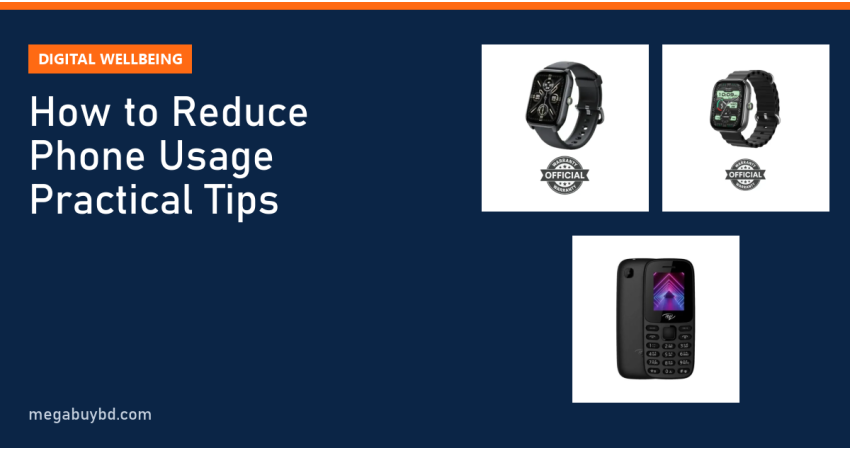
- Smartwatch: see the time, steps, call and message alerts on your wrist without unlocking the phone and getting drawn into apps.
- Button phone on weekends or holidays: put your SIM in a basic phone for a day; you can still call and text.
- Laptop for work and study: long reading and typing is easier on a bigger screen, with fewer temptations from phone notifications.
Set phone-free times and places
Choose two or three rules you can keep: no phone during meals, no phone for the first 30 minutes after waking, or the phone stays in your bag during classes and prayers. Tell your family so they can help.
Replace scrolling with something you enjoy
Scrolling often fills boredom. Keep a book, a cricket match with friends, a walk, a hobby or a short course ready for the moments you usually reach for the phone.
How to Choose the Right Plan for You
- Students: Focus mode or Downtime during study hours, plus app timers on two or three entertainment apps.
- Office workers: turn off social notifications during work hours and check messages at set times, for example every hour.
- Parents: use Google Family Link on a child's Android phone or Screen Time with Family Sharing on iPhone, and agree on rules together rather than only setting locks.
- Heavy users: start by reducing your daily total by 30 minutes, not by half. Lower it again after a week.
Gadgets That Help You Use Your Phone Less
| Product | How it helps | Our price |
|---|---|---|
| itel it2171 Feature Phone | Calls and SMS only, for phone-free days | Tk 950 |
| Oraimo Watch 5 Lite | Notifications and alarms on the wrist | Tk 1,500 |
| Oraimo Watch 6 | Step-up model for alerts, alarms and activity tracking | Tk 2,479 |
Prices are at the time of writing; the product page shows the latest price. Compare more models in our Oraimo smart watch collection and button phone collection, or read our smartwatch buying guide first.
Smartwatch Price in Thakurgaon
These tips work for anyone, anywhere. If a smartwatch or a simple button phone would help you cut screen time, we deliver all over Bangladesh, including Thakurgaon Sadar, Pirganj, Ranisankail, Baliadangi and Haripur, with cash on delivery.
Related Guides
- CXMT DRAM Market Share Hits 10%: What It Means for RAM Prices
- What Is HBM Memory? High Bandwidth Memory Explained (2026)
- AMD Zen 6 12-Core vs Ryzen 9 9950X3D2: Rumours Explained
- Tesla Flying Roadster: What Was Shown and What's Next
- Nvidia RTX Spark Laptops: Nvidia Chips in Windows Laptops
Frequently Asked Questions
How much screen time per day is too much?
There is no single number for adults, because work, study and calls all count as screen time. A better test is whether phone use is hurting your sleep, study, work or relationships. If your leisure scrolling alone is several hours a day, or you pick up the phone without thinking, it is worth cutting back step by step.
Where is Digital Wellbeing on Samsung phones?
Open Settings and tap Digital Wellbeing and parental controls. There you will find your screen time, app timers, Focus mode and Bedtime mode. If you do not see it, use the search bar at the top of Settings. Some older or customised Android phones may not include Digital Wellbeing at all.
Can I stop myself from ignoring Screen Time limits on iPhone?
Yes. In Settings, Screen Time, choose Lock Screen Time Settings and create a passcode, then let a friend or family member type it so you do not know it. Also turn on Block at End of Limit when adding an App Limit. You will then need the passcode to get more time.
Does a smartwatch really reduce phone use?
For many people, yes. A large share of phone pickups happen just to check the time or a notification, and each one can turn into minutes of scrolling. A smartwatch shows that information on your wrist. Turn off watch alerts from social apps too, or you simply move the distraction to your wrist.
Buy from Megabuy BD
Megabuy BD sells authentic smartwatches, phones and accessories at clear prices. We deliver nationwide with cash on delivery, and Dhaka orders usually arrive within 24–48 hours.



There are no comments for this Article.