

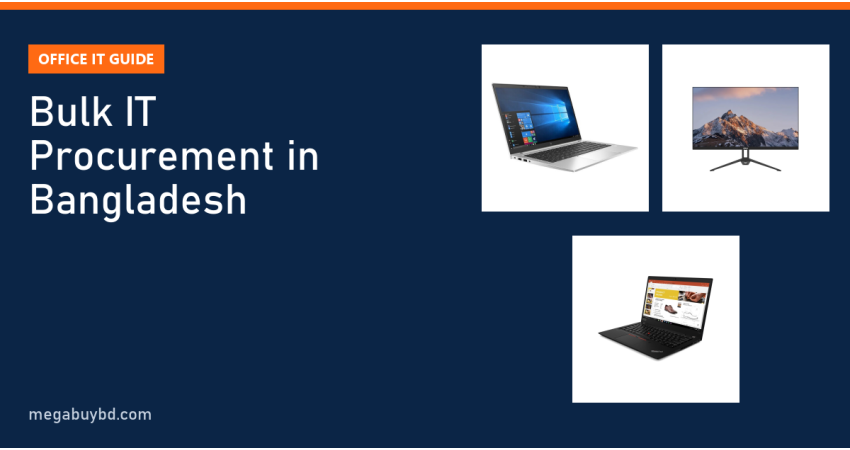
Planning bulk IT procurement in Bangladesh for a new office, a branch expansion or a staff laptop refresh? Here is the short answer. Start with a headcount and role list, set one standard configuration per role, decide new or used business-grade machines based on budget, and compare written quotations from two or three vendors before you order. For most desk staff, an inspected business laptop such as an HP EliteBook, Dell Latitude or Lenovo ThinkPad with an SSD and a 24-inch monitor gives the best value per seat today.
This guide is for business owners, admin managers and IT officers who buy 5, 20 or 100 machines at a time. It covers planning, configurations by job role, the new vs used question and the checks that protect you from costly mistakes.
Why Bulk Buying Needs a Plan
Many offices in Bangladesh buy computers one at a time, whenever a new person joins. After a few years, the office has ten different models, three versions of Windows, chargers that do not match and no clear record of what was bought when. Support becomes slow and expensive.
A planned bulk purchase fixes this. When every person in the same role has the same model, your IT person can set up machines faster, keep spare chargers and parts, and solve problems once instead of ten times. Finance also gets a clear budget and a clean asset list.
Step-by-Step Bulk IT Procurement in Bangladesh
Step 1: List people and roles
Write down every user, their department and what software they use daily. Note who travels, who works from home and who sits at one desk all day. This decides laptop or desktop, screen size and RAM.
Step 2: Set a standard configuration per role
Do not let each user choose their own machine. Pick two or three standard builds, such as Basic, Standard and Power, and assign every role to one of them. The table in the next section gives a starting point.
Step 3: Fix the budget per seat
A seat is more than the laptop. Add a monitor, keyboard and mouse, a bag if staff travel, software licences and a small reserve for spares. Many offices find the accessories add 25% to 40% on top of the laptop price.
Step 4: Ask for written quotations
Send the same specification sheet to two or three vendors. Ask each one to state exact model numbers, processor generation, RAM, SSD size, condition (new or used and grade), warranty terms in writing, delivery time and payment terms. Comparing quotes is only fair when the specs match line by line.
Step 5: Inspect a sample before the full order
For a large order, ask for one or two sample units first. Check the battery, screen, keyboard and ports, and run your own software. Once the sample passes, place the full order and check every unit on delivery against the quotation.
Step 6: Record and label every asset
Note the serial number, user, department and purchase date of each machine in a simple spreadsheet. Put an asset tag on each one. This saves time for warranty claims, audits and the next refresh.
Configuration by Job Role
| Role | Processor | RAM | Storage | Screen setup |
|---|---|---|---|---|
| Reception, front desk, data entry | Core i5 8th Gen or Ryzen 5 equivalent | 8GB | 256GB SSD | Laptop screen or one 22-inch monitor |
| Accounts, HR, ERP and sales | Core i5 10th or 11th Gen, or Ryzen 5 Pro | 16GB | 256GB to 512GB SSD | One 24-inch Full HD monitor |
| Managers and field staff | Core i5 11th Gen or newer, light 14-inch body | 16GB | 512GB SSD | Laptop plus a monitor at the desk |
| Developers, designers, analysts | Core i5/i7 12th Gen or Ryzen 7 Pro | 16GB to 32GB | 512GB SSD or more | Two 24-inch or one 27-inch monitor |
Always choose an SSD. A hard disk is the most common reason an office PC feels slow. For Windows 11, Microsoft's official list supports Intel 8th Gen and newer and AMD Ryzen 2000 series and newer, so avoid older processors for any new rollout, especially now that Windows 10 has reached the end of support.
New or Used Business Laptops?
New laptops come with full manufacturer warranty and the latest processors, and they make sense for senior staff or for work that needs the newest hardware. But for many desk roles, used business-grade laptops give much better value per seat.
Business lines like HP EliteBook, Dell Latitude and Lenovo ThinkPad are built for years of daily office use. They have strong hinges, good keyboards, TPM security chips and easy-to-find spare parts. Many come out of corporate leases in excellent condition after three or four years. A well-inspected used EliteBook with an SSD often outperforms a new budget consumer laptop at a similar price.
Before you buy any used unit, use our used laptop buying checklist to inspect battery health, screen, keyboard and ports.
Office Laptops in Stock: Prices per Unit
These are single-unit prices for popular business models we sell. For bulk orders, contact our team for a quote.
| Model | Processor | RAM / SSD | Best role | Price per unit |
|---|---|---|---|---|
| Dell Latitude 5400 (Used) | Core i5 8th Gen | 8GB / 256GB | Front desk, data entry | ৳26,900 |
| HP EliteBook 840 G5 (Used) | Core i5 8th Gen | 8GB / 256GB | Front desk, data entry | ৳28,400 |
| Lenovo ThinkPad T480s (Used) | Core i5 8th Gen | 8GB / 256GB | General office | ৳29,400 |
| Dell Latitude 5410 (Used) | Core i5 10th Gen | 16GB / 256GB | Accounts, ERP | ৳34,900 |
| HP EliteBook 840 G7 (Used) | Core i5 10th Gen | 8GB / 256GB | Accounts, sales | ৳37,900 |
| Lenovo ThinkPad T14s Gen 1 (Used) | Ryzen 5 Pro 4650U | 16GB / 256GB | Accounts, managers | ৳38,400 |
| HP EliteBook 840 G8 | Core i5 11th Gen | 16GB / 256GB | Managers, field staff | ৳40,400 |
| HP EliteBook 840 G9 (Used) | Core i5 12th Gen | 16GB / 512GB | Analysts, developers | ৳54,400 |
Prices are at the time of writing. The product page shows the latest price and stock. Browse by brand: HP EliteBook used laptops, Dell Latitude used laptops and Lenovo ThinkPad used laptops, or see every model in our used laptop collection.
Monitors for Office Desks
A second screen is one of the cheapest productivity upgrades for staff who work with spreadsheets, ERP screens or long documents. A 23.8-inch Full HD IPS monitor is the sweet spot for most desks. Popular choices in our stock include the Dahua DHI-LM24-B201E (23.8", IPS, 100Hz, ৳12,999), the PC Power PCG24F100DW (23.8", IPS, 100Hz, ৳12,499) and, for tight budgets, the used Dell E2216Hf (21.5", Full HD, ৳7,400). Compare all options in our monitor collection.
Check that each laptop has a video output that matches the monitor (HDMI, DisplayPort or VGA), and order the right cables with the monitors.
How to Choose a Vendor for Bulk Orders
- Same model in quantity: Ask how many units of the exact model and configuration are available now. Mixed batches defeat the purpose of standardising.
- Written terms: Get the warranty period, what it covers and how claims work in writing before you pay.
- Condition grading: For used laptops, ask how units are graded and what the battery health range is.
- Delivery and inspection: Agree on how units are delivered and how many days you have to report a problem.
- Payment: Confirm payment terms and what documents the vendor provides for your accounts team.
Bulk Laptop Price in Thakurgaon
Our prices are the same across Bangladesh. We deliver laptops and monitors nationwide, including Thakurgaon Sadar, Pirganj, Ranisankail, Baliadangi and Haripur, with cash on delivery. For larger orders anywhere in the country, contact our team for bulk quotes.
Related Guides
- Best Monitor Under 15000 Taka in Bangladesh (2026 Picks)
- Best Phones Under 40000 Taka in Bangladesh (2026 Picks)
- Best Phones Under 30000 Taka in Bangladesh (2026 Picks)
- Matte vs Glossy Laptop Screen: Which Is Better for You?
- Smart Band vs Smartwatch: Which Is Right for You?
Frequently Asked Questions
Are used business laptops reliable for office work?
Yes, when you buy inspected business-grade models. HP EliteBook, Dell Latitude and Lenovo ThinkPad laptops are designed for years of daily corporate use, with sturdy bodies and good keyboards. Choose an SSD, 8th Gen Intel or newer, and check battery health before you accept each unit. They handle email, Office, ERP and browser work well.
Laptop or desktop for an office?
Laptops suit staff who move between rooms, travel or work from home, and they keep working through short power cuts on battery. Desktops suit fixed desks with heavy daily use and can be cheaper to repair. Many offices now use laptops with a monitor, keyboard and mouse at the desk, which gives the benefits of both.
How much RAM do office staff need in 2026?
8GB is the minimum for basic tasks like email, Word and a few browser tabs. 16GB is the better standard for accounts, ERP, sales and managers who keep many tabs, spreadsheets and video calls open together. Developers, designers and analysts should consider 16GB to 32GB. RAM is cheaper to get right at purchase than to upgrade later.
Do you offer bulk pricing for companies?
Prices on our website are single-unit prices. If you need several laptops or monitors for an office, contact our team with the models and quantities you need, and we will reply with a quote based on current stock. Ask about warranty, delivery and payment details at the same time so you can compare offers clearly.
Buy from Megabuy BD
Megabuy BD sells authentic, inspected business laptops and brand-new monitors for offices of every size. We deliver nationwide with cash on delivery, and orders inside Dhaka usually arrive within 24 to 48 hours. Contact our team for bulk quotes and equip your whole office from one place.



There are no comments for this Article.