

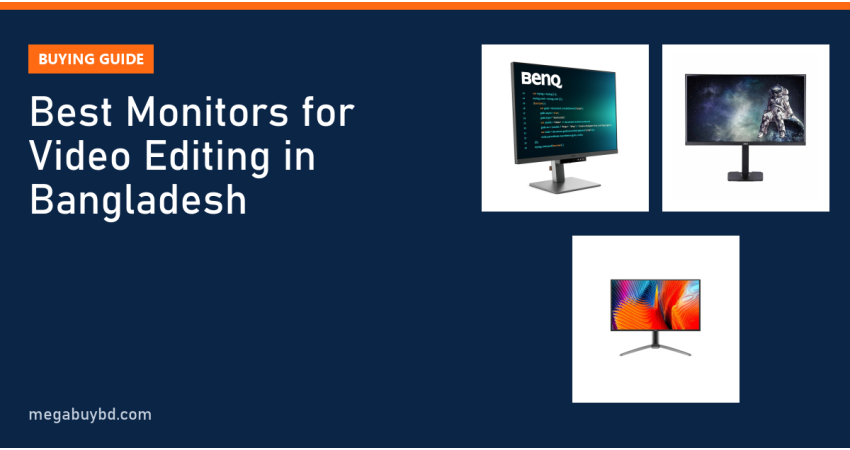
Choosing the best monitor for video editing in Bangladesh depends on what you deliver. If you edit YouTube videos, Reels or wedding highlights, a 27-inch QHD or 4K IPS monitor with full sRGB coverage is enough and starts around ৳16,000. If you grade footage for HDR, ads or cinema, you need wide DCI-P3 coverage, 10-bit colour and ideally 4K, which puts you in the ৳40,000 to ৳80,000 range. This guide explains what matters, then lists the editing-friendly monitors we stock, with our current prices.
All prices below are Megabuy BD prices at the time of writing. The product page always shows the latest price and stock.
Why Your Monitor Matters for Editing
Your monitor is the only window into your footage. If it shows colours too saturated, you will correct them down, and your video will look dull on your client's phone. If it crushes shadow detail, you will miss noise and banding until it is too late. A good editing monitor does not make you a better editor, but it stops the screen from lying to you.
What to Look For in a Video Editing Monitor
Colour gamut: sRGB, DCI-P3 and Adobe RGB
Colour gamut tells you how much of a colour standard the screen can show.
- sRGB: the standard for the web, YouTube and Facebook. Rec.709, the HD video standard, uses the same colour primaries. Aim for close to 100% sRGB.
- DCI-P3: a wider gamut used for cinema and HDR content, and by most modern phones. Important for colourists and HDR work.
- Adobe RGB: mainly for print photography. Less important for video.
A wide-gamut monitor should also have an accurate sRGB mode, so normal web content does not look oversaturated.
Resolution and size
For Full HD projects, a 27-inch QHD screen gives room for the timeline plus a sharp preview window. For 4K footage, a 4K monitor lets you check focus and fine detail at 100% without zooming. 27 to 32 inches is the comfortable range for editing desks.
Bit depth
8-bit panels show 16.7 million colours. 10-bit or 8-bit + FRC panels show about 1.07 billion, which means smoother gradients in skies and skin tones. For HDR grading, 10-bit support is strongly recommended.
Calibration and uniformity
Even good monitors drift over time. A hardware colorimeter lets you calibrate your screen every few weeks. Many professional monitors also have factory calibration with a Delta E under 2, which means colour errors are hard for the eye to see.
Connectivity
USB-C with power delivery is very useful if you edit on a MacBook or a modern laptop: one cable for video, data and charging. DisplayPort is the safest choice for desktop graphics cards at high resolution.
Best Monitor for Video Editing in Bangladesh: Our Picks
1. Best for 4K editing on a budget: Dahua DHI-LM27-E431A
This 27-inch 4K IPS monitor is sold as a gaming screen, but its specs suit editors very well. Dahua's datasheet lists 98% DCI-P3 coverage, a Delta E under 2 and 1.07 billion colours (8-bit + FRC). It also runs at 160Hz in 4K or 320Hz in Full HD, so it doubles as a top gaming screen. The stand adjusts for height.
Price: ৳40,000. See the Dahua 27" 4K dual mode monitor.
2. Best for editing and coding: BenQ RD280U
A 28.2-inch screen with a rare 3:2 shape and 3840 x 2560 resolution. The extra height gives a big preview window and a full timeline at the same time. BenQ rates it at 95% P3 with 1.07 billion colours and HDR10 support. USB-C delivers up to 90W, enough to charge most laptops.
Price: ৳77,500. View the BenQ RD280U 4K+ IPS monitor.
3. Best compact pro screen: BenQ RD240Q
A 24.1-inch 16:10 screen at 2560 x 1600, with 95% P3 colour, HDR10 and a fully adjustable stand. It suits editors working on a small desk, or as a second reference screen beside a bigger monitor.
Price: ৳53,999. See the BenQ RD240Q 16:10 monitor.
4. Best contrast and HDR preview: Dahua DHI-LM27-GO34A (QD-OLED)
QD-OLED gives true blacks and very bright, saturated colour, which is great for judging contrast and HDR footage. This 26.5-inch QHD model is listed with 99% DCI-P3 and HDR400. One caution: OLED screens can suffer burn-in from static images, and editing apps show static toolbars for hours. Use the screen's protection features and hide panels when idle.
Price: ৳79,000. View the Dahua 26.5" QD-OLED monitor.
5. Best budget QHD for YouTube editors: PC Power PCGMX27Q120B
For beginners and YouTubers, this 27-inch QHD IPS monitor is the best value we sell. PC Power lists 100% sRGB, which matches what most viewers will see online, and 120Hz makes scrubbing feel smooth.
Price: ৳16,000. See the PC Power 27" QHD IPS monitor.
6. Step-up QHD with a better stand: PC Power PCG27Q200DW
Another 27-inch QHD IPS model, with 150 mm height adjustment, pivot, two HDMI and two DisplayPort inputs. A good choice if you want a proper ergonomic stand without paying pro-monitor prices.
Price: ৳24,000. View the PC Power 27" QHD 200Hz monitor.
7. Premium 4K for serious creators: BenQ MOBIUZ EX321UX
A 31.5-inch 4K IPS monitor with a Mini LED backlight, 99% Adobe RGB and 99% P3 coverage, and USB-C with 65W charging. It is expensive, but it is the closest thing in our range to a large HDR reference screen.
Price: ৳165,500. See the BenQ EX321UX 31.5" 4K monitor.
Video Editing Monitor Comparison Table
| Model | Size / resolution | Panel | Colour (brand spec) | Best for | Our price |
|---|---|---|---|---|---|
| PC Power PCGMX27Q120B | 27" QHD | IPS | 100% sRGB | YouTube, beginners | ৳16,000 |
| PC Power PCG27Q200DW | 27" QHD | IPS | 120% sRGB | Budget pro desk | ৳24,000 |
| Dahua DHI-LM24-P301A | 23.8" QHD | IPS | Wide gamut, USB-C | Laptop editors | ৳32,000 |
| Dahua DHI-LM27-E431A | 27" 4K | IPS | 98% DCI-P3 | 4K editing on a budget | ৳40,000 |
| BenQ RD240Q | 24.1" 2560 x 1600 | IPS | 95% P3 | Small desks, second screen | ৳53,999 |
| BenQ RD280U | 28.2" 3840 x 2560 | IPS | 95% P3 | Editing plus coding | ৳77,500 |
| Dahua DHI-LM27-GO34A | 26.5" QHD | QD-OLED | 99% DCI-P3 | Contrast, HDR preview | ৳79,000 |
| BenQ MOBIUZ EX321UX | 31.5" 4K | IPS Mini LED | 99% Adobe RGB / P3 | Serious HDR creators | ৳165,500 |
Prices are at the time of writing; please check each product page for the latest price.
How to Choose: Match the Monitor to Your Work
YouTube, Facebook and social media editors
Your audience watches in sRGB on phones and laptops. A 27-inch QHD IPS screen with close to 100% sRGB is all you need. Spend the rest on RAM, a fast SSD or a better microphone.
Wedding and event editors
You often deliver 4K files and work long hours. A 4K IPS screen with wide DCI-P3 and a height-adjustable stand saves time and your neck. The Dahua LM27-E431A is a strong value pick here.
Colourists, ad agencies and HDR work
Look for 10-bit colour, wide P3 coverage, good HDR brightness and a hardware calibration routine. Consider OLED or Mini LED for contrast, and keep an sRGB-accurate screen beside it for checking web delivery.
Check your computer too
A 4K monitor needs a graphics output that supports 4K at 60Hz or more, through HDMI 2.0, DisplayPort or USB-C. Many older laptops only output 4K at 30Hz over HDMI 1.4, which feels laggy. Check your laptop or graphics card before you buy.
Monitor Price in Thakurgaon
Editors outside Dhaka pay the same price as anywhere else on Megabuy BD. We deliver all over Bangladesh, including Thakurgaon Sadar, Pirganj, Ranisankail, Baliadangi and Haripur, with cash on delivery. Monitors are packed in their original boxes for a safe trip.
More Monitor Guides
Frequently Asked Questions
Is a 4K monitor necessary for video editing?
Not always. If you edit Full HD videos for YouTube or social media, a 27-inch QHD monitor is sharp enough and costs far less. A 4K monitor becomes worth it when you shoot and deliver 4K, need to check focus at full size, or want more workspace for timelines, scopes and panels at the same time.
Is a gaming monitor good for video editing?
Some are. Many modern gaming monitors use IPS panels with wide colour coverage, like the Dahua LM27-E431A with 98% DCI-P3. What gaming monitors often lack is factory calibration and a strict sRGB mode. If you pick one, choose IPS, check the colour specs, and calibrate it with a colorimeter for best results.
What is better for editing, IPS or OLED?
IPS is the safe all-round choice: accurate colour, no burn-in risk and fine for long editing sessions with static timelines. OLED gives perfect blacks and outstanding contrast, which helps for HDR and dark scenes. Many professionals pair them, using IPS for daily editing and OLED or Mini LED for checking final HDR output.
Which monitor is best for a MacBook video editor?
A USB-C monitor is the most convenient, since one cable carries video, data and charging. The BenQ RD280U offers up to 90W charging, and the Dahua LM24-P301A and BenQ EX321UX offer USB-C with 65W. Check that your MacBook model supports the resolution you want on an external display.
Buy from Megabuy BD
Megabuy BD sells authentic monitors from BenQ, Dahua and PC Power with official warranty. We deliver nationwide with cash on delivery, and Dhaka orders usually arrive within 24 to 48 hours. Pick a screen that shows your footage honestly, and your edits will look right everywhere.



There are no comments for this Article.